Accounting & Banking
Receive a customer payment
Business and above · 1 min read · Updated 17 October 2026
What this does
When a customer pays you money they owed, you record it with a receipt voucher. Their balance goes down and your cash or bank balance goes up.
Before you start
- The customer must already owe you money, for example from a part payment or a delivered sales order.
Steps
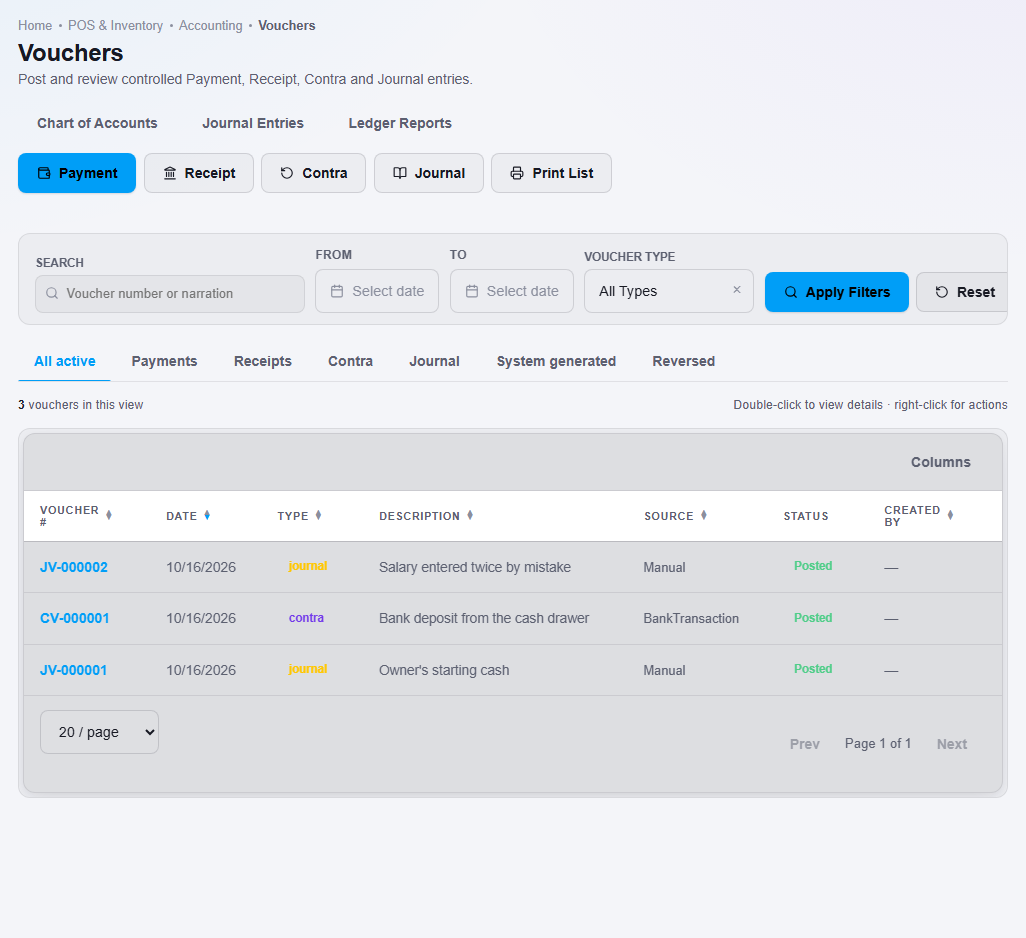
- Open Finance, then Voucher.
- Click Receipt. The Receipt Voucher window opens.
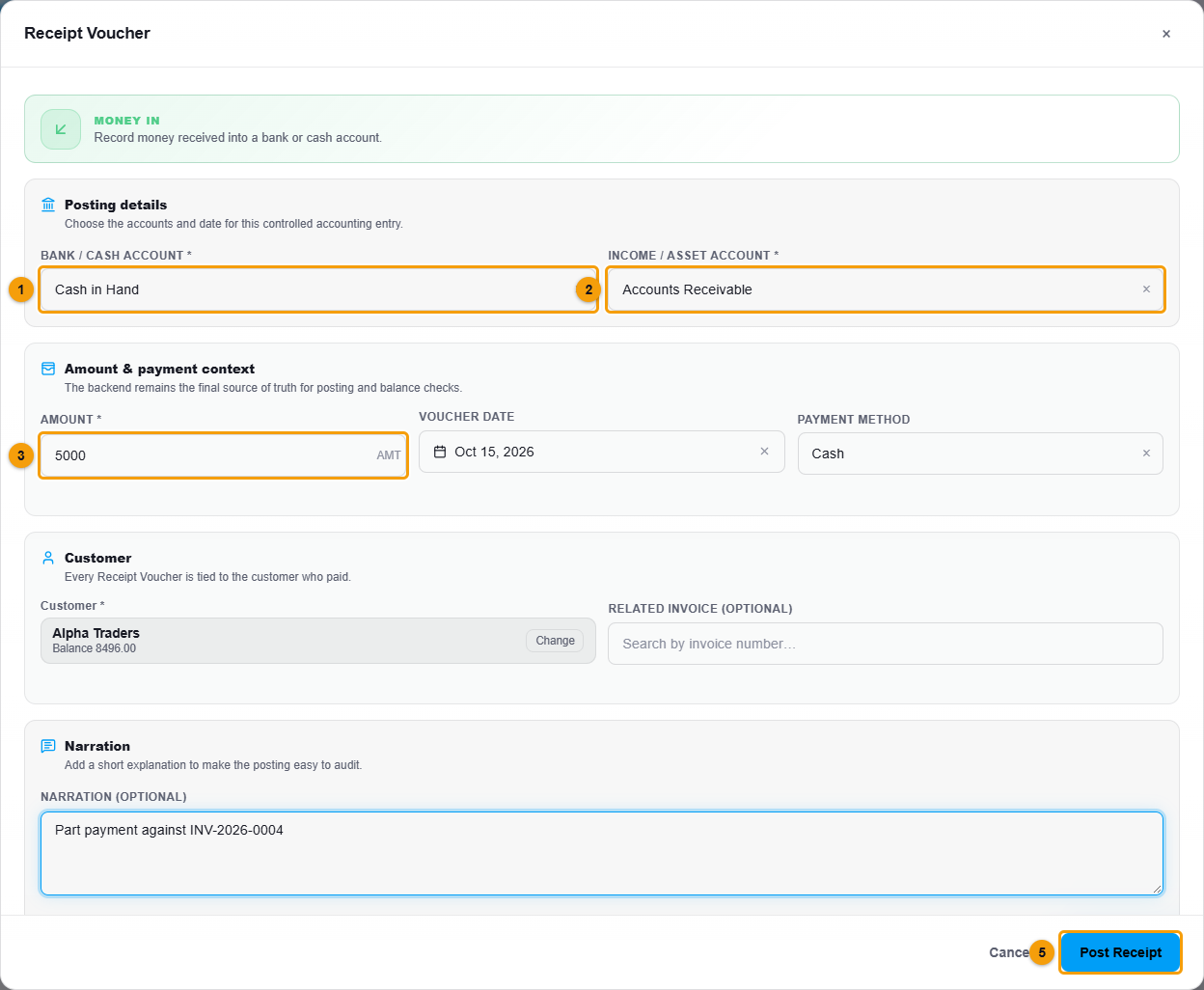
Cash or bank account (1), account (2), amount (3), customer (4) and Post Receipt (5).
- Under Customer, search by name or phone and choose the customer. Their current balance is shown. If your account also uses Education, this box is called Customer or Student and every result carries a CUSTOMER or STUDENT badge. See Education receipt and payment vouchers.
- Choose the Bank / cash account (1) that received the money, for example Cash in Hand.
- Choose the Income / asset account (2). To collect from a customer for a sale already invoiced, choose Accounts Receivable.
- Enter the Amount (3) and check the Voucher date and Payment method.
- Add a Narration, for example Part payment against INV-2026-0004.
- Click Post Receipt (5).
What happens next
The receipt is posted to your accounts. The customer's balance goes down by the amount you entered. Check it in the Customer Ledger or on the customer list.
Important notes
- The Related invoice box is optional. The payment reduces the customer's balance whether or not you pick an invoice.