Accounting & Banking
How opening stock is recorded in your accounts
Business and above · 2 min read · Updated 16 October 2026
What this does
When you start using NEXTOREx you already own stock. You enter it as an Opening Balance stock adjustment. This guide shows what that does to your accounts, so you can explain it to your accountant.
Steps
- Open Stock, then Stock Adjustment, and click Create adjustment.
- Choose the product and the warehouse.
- Choose the Movement type Opening Balance (1).
- Enter the Quantity (2) and the Unit cost (3).
- Click Record Adjustment (4).
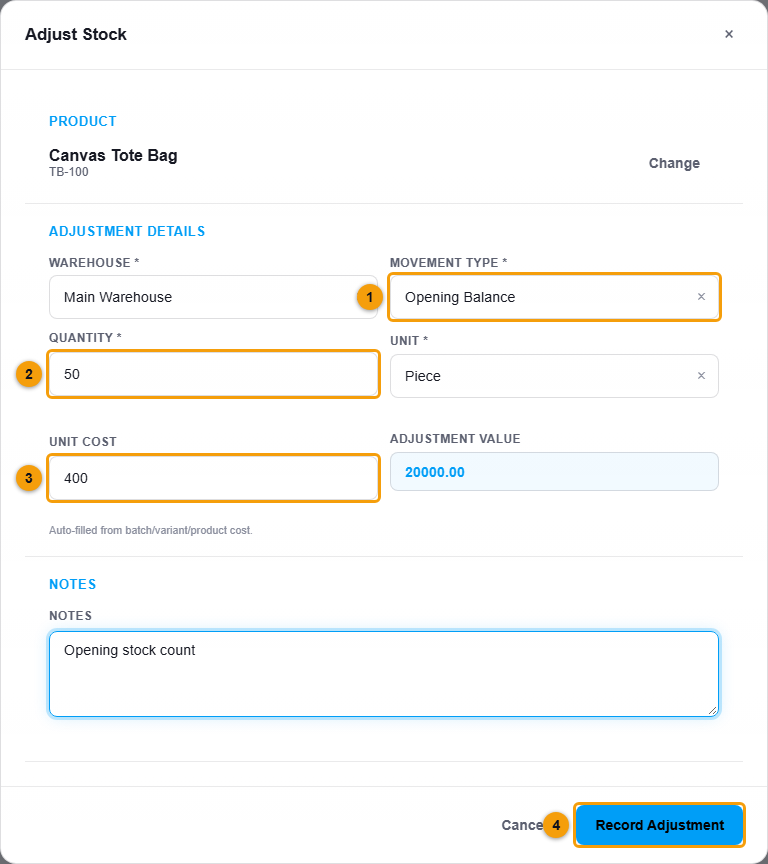
Movement type (1), quantity (2), unit cost (3) and Record Adjustment (4).
The full steps are in Stock adjustments and opening stock.
What happens in your accounts
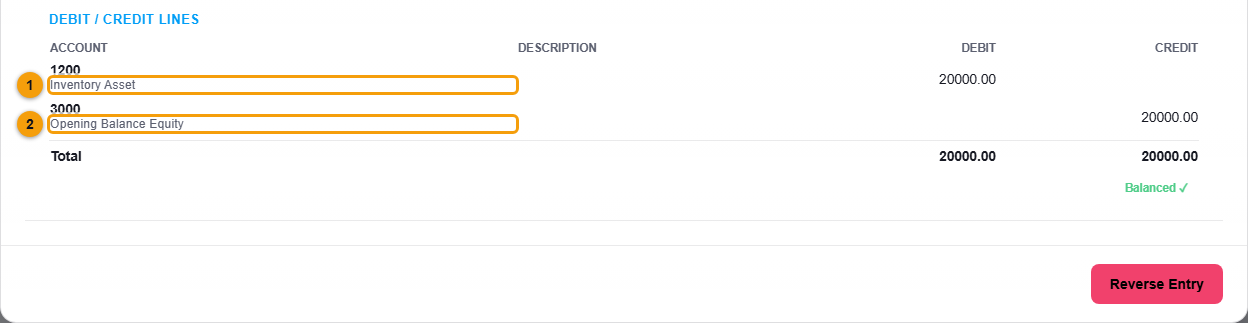
NEXTOREx posts one system journal entry for the adjustment:
| Account | Debit | Credit |
|---|---|---|
| Inventory Asset | quantity × unit cost | |
| Opening Balance Equity | quantity × unit cost |
For 50 bags at 400, that is 20,000 debit to Inventory Asset and 20,000 credit to Opening Balance Equity. Open Journal Entries and double-click the entry. It is marked as system generated and linked to the stock movement.
Opening stock is not profit
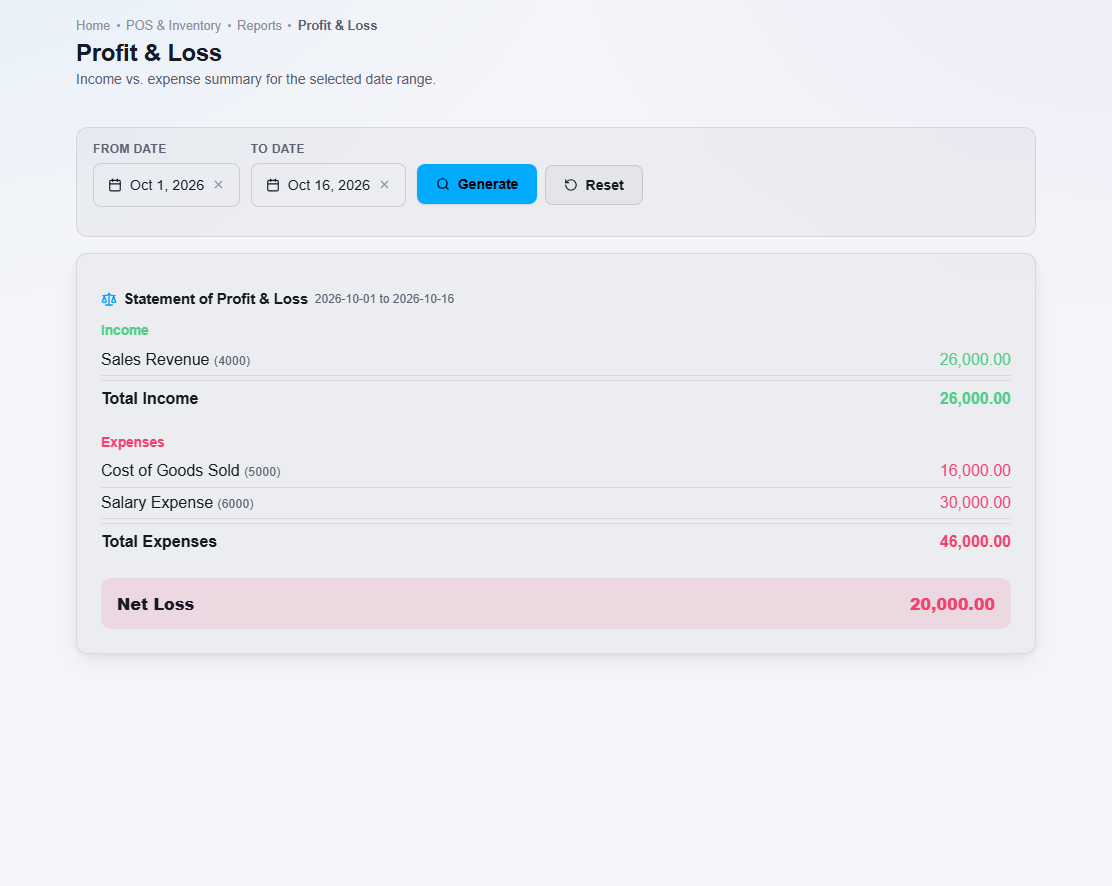
Opening stock is something you already owned. It is recorded as an asset and as equity, not as income. It does not appear in your Profit and Loss report. It does appear in your Balance Sheet, under Assets (Inventory Asset) and under Equity (Opening Balance Equity).
Important notes
- Use Opening Balance only for the stock you already had on your start date. For a later stock count correction, use Adjustment In or Adjustment Out.
- A posted entry cannot be edited. To correct a wrong opening quantity, record another adjustment, and ask your accountant before you reverse the entry.