Inventory
Stock adjustments and opening stock
Starter and above · 1 min read · Updated 16 October 2026
What this does
A stock adjustment changes the quantity of a product in one warehouse without a sale or purchase. Use it to enter the stock you already have when you start, or to correct the count after a stock-take.
Before you start
Steps
- Open Stock, then Stock Adjustment.
- Click Create adjustment. The Adjust Stock window opens.
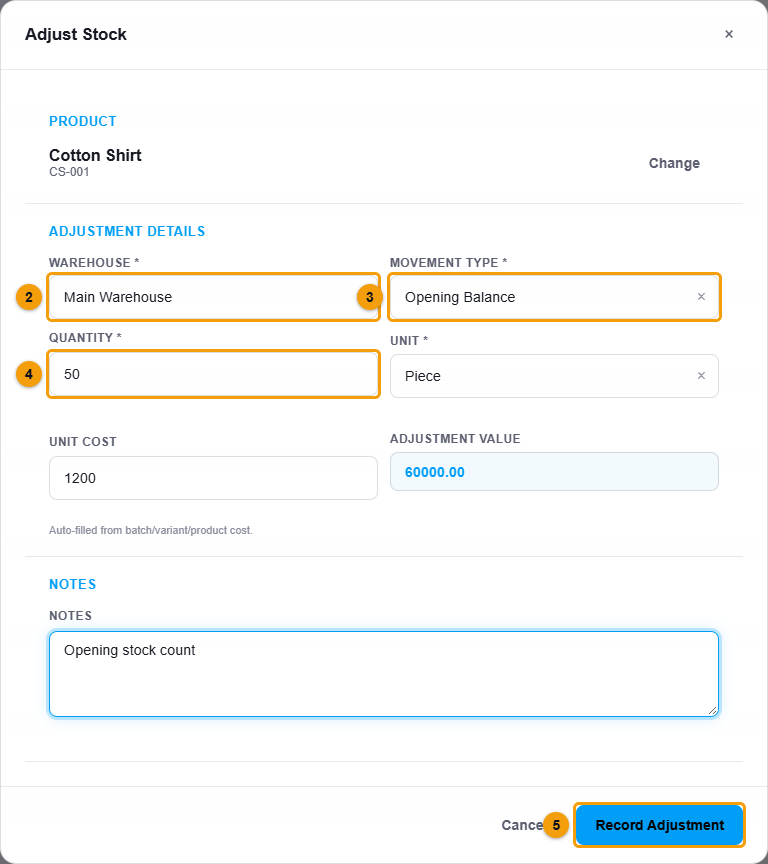
Product, warehouse, type and quantity.
- Under Product, search by name or SKU and pick the product.
- Choose the Warehouse (2).
- Choose the Movement type (3):
- Opening Balance for the stock you already had.
- Adjustment In to increase stock.
- Adjustment Out to decrease stock.
- Enter the Quantity (4). The Unit is filled in for you.
- Check the Unit cost. It is filled in from the product and you can change it. The Adjustment value is worked out for you.
- Add a note, for example Opening stock count.
- Click Record Adjustment (5).
What happens next
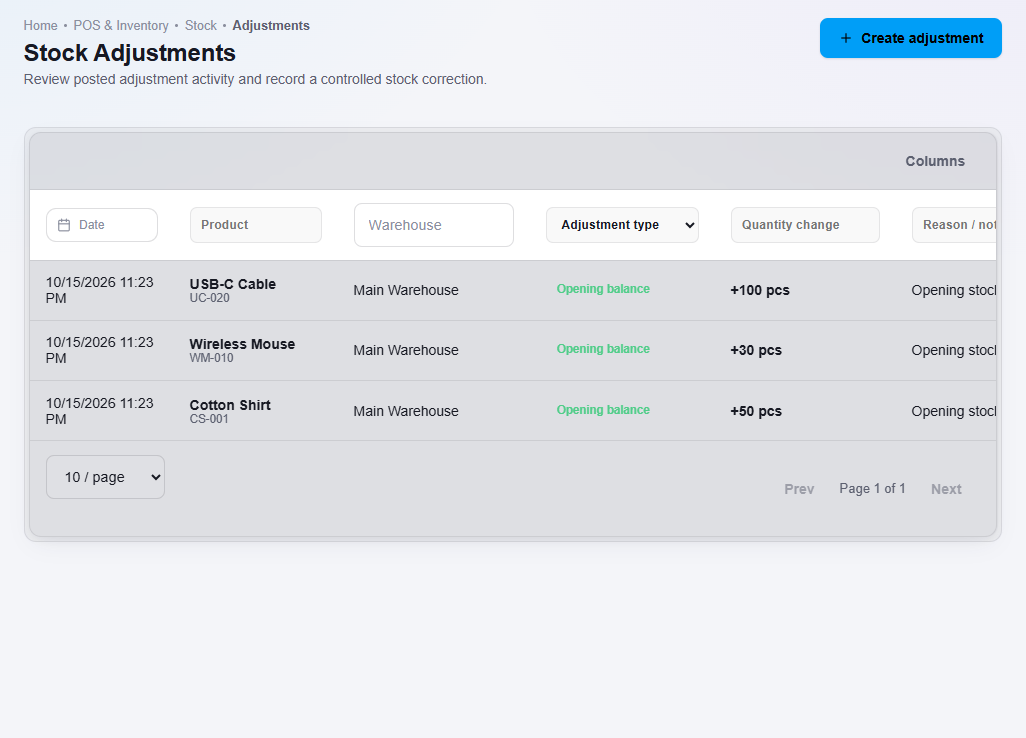
The quantity changes straight away and the adjustment is listed with its date, type and who made it.
Important notes
- An Opening Balance is recorded as Inventory and Opening Balance Equity. It is not profit. See How opening stock is recorded.
- Adjustments are a record of what changed. To correct a mistake, record another adjustment.