Inventory
Stock levels
Starter and above · 1 min read · Updated 16 October 2026
What this does
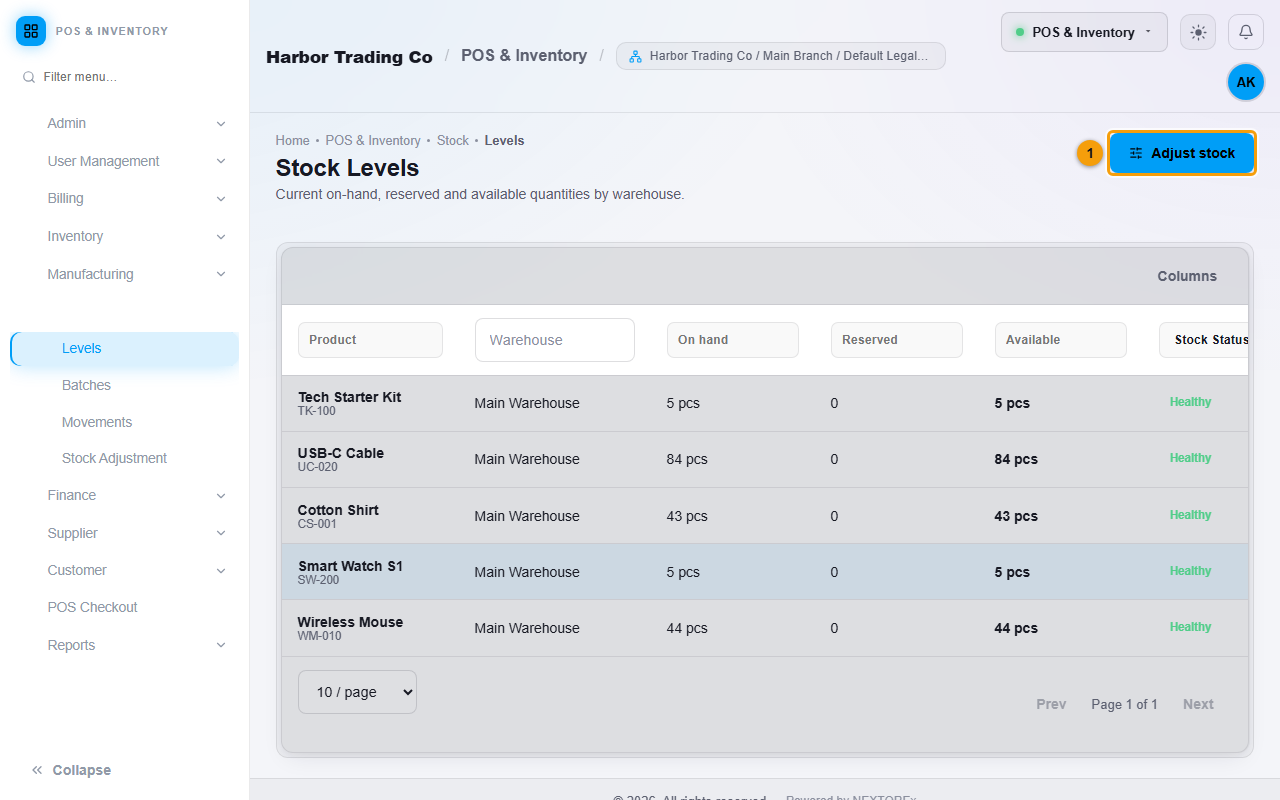
Stock Levels shows the quantity of each product in each warehouse: On hand, Reserved and Available, with a Stock Status of Healthy or Out of stock.
Steps
- Open Stock, then Levels.
- Read each row: the product and its SKU, the warehouse, and the quantities.
- Use the filters at the top of each column to find a product or warehouse.
- Click Adjust stock (1) to change a quantity. See Stock adjustments.