Inventory
Units of measure
Starter and above · 1 min read · Updated 16 October 2026
What this does
A unit of measure (UOM) is how you count a product: pieces, kilograms, litres, metres and so on. Every product has a Base UOM. Common units such as Piece, Box, Carton, Dozen, Kilogram, Gram, Litre and Metre are already there.
Steps
- Open Inventory, then UOM.
- Look through the list. Each unit has a name, a symbol and a status.
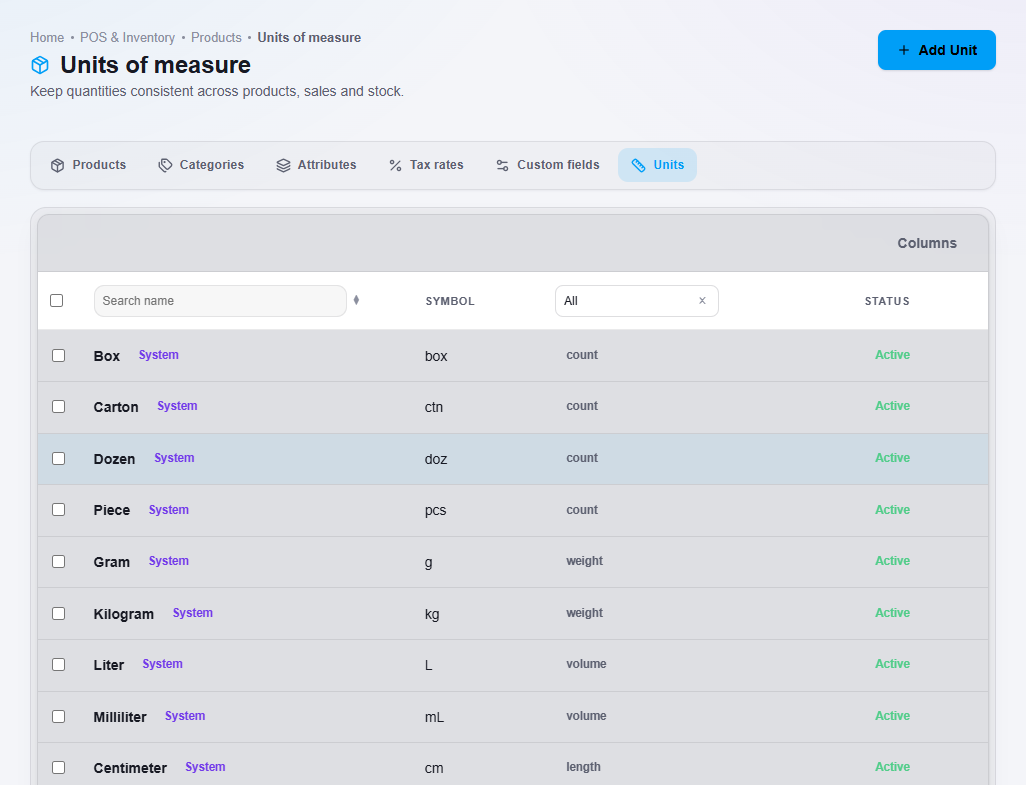
The units available when you add a product.
- To add a unit, click Add Unit.
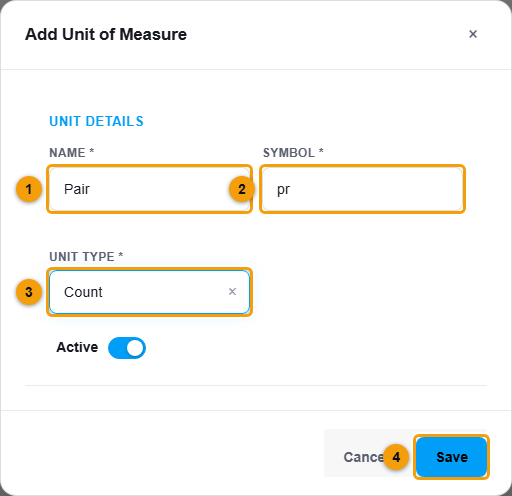
Name (1), symbol (2), unit type (3) and Save (4).
- Enter the Name (1), for example Pair, and the Symbol (2), for example pr.
- Choose the Unit type (3): Count, Weight, Volume or Length.
- Click Save (4).
What happens next
The new unit can be chosen as the Base UOM when you add a product.