Inventory
Warehouses
Starter and above · 1 min read · Updated 16 October 2026
What this does
A warehouse is any place where you keep stock. A small shop may need only one. NEXTOREx records stock separately for each warehouse.
Steps
- Open Inventory, then Warehouse.
- Click Add Warehouse.
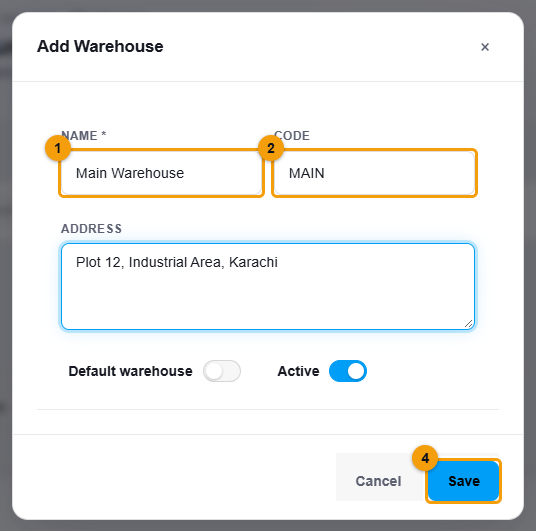
Name, code and address.
- Enter a Name (1), for example Main Warehouse, and a short Code (2).
- Optionally enter the Address.
- Switch on Default warehouse (3) if this is where most sales and purchases happen. The POS uses it automatically.
- Click Save (4).
What happens next
The warehouse is listed under Warehouse. You can choose it when you receive stock, adjust stock and sell.
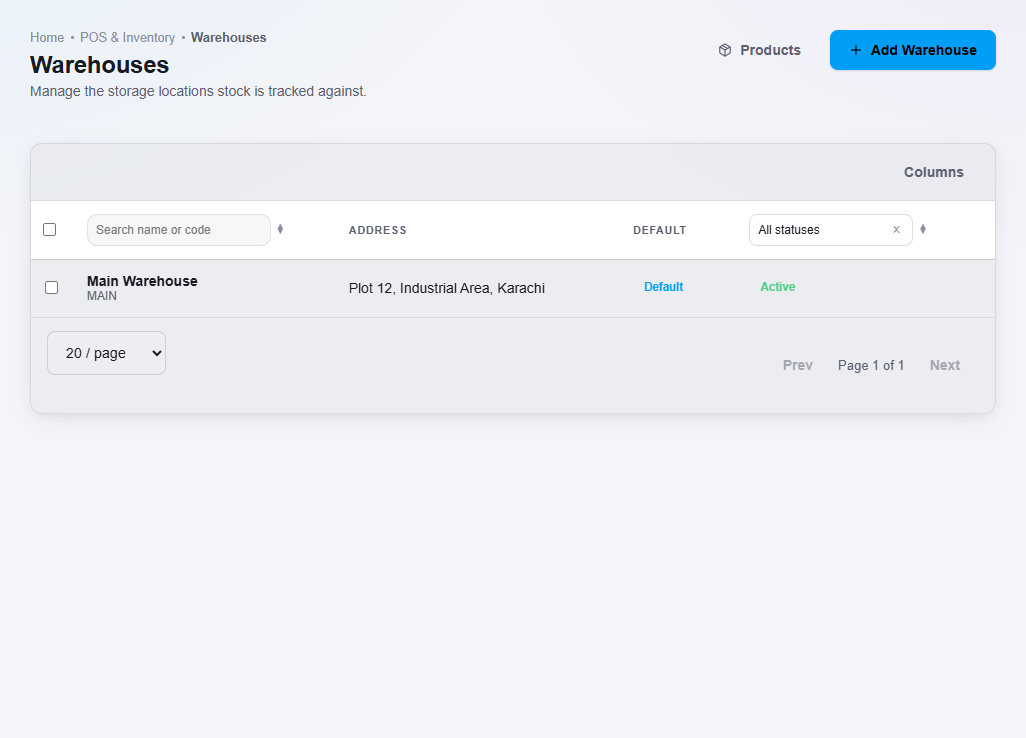
To change a warehouse, right-click it and choose Edit.
Important notes
- Create a warehouse before you add stock. Stock is always recorded against a warehouse.