Inventory
Stock movements
Starter and above · 1 min read · Updated 16 October 2026
What this does
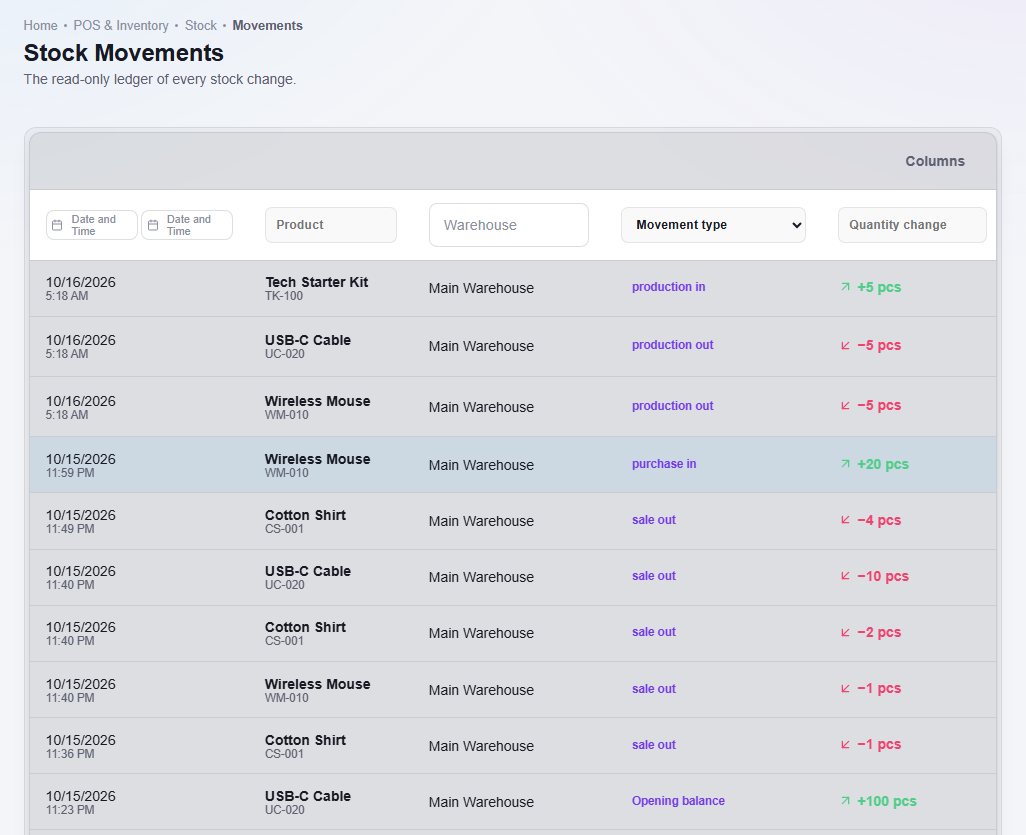
Stock Movements is the history of your stock. Every time a quantity changes, a line is added: an opening balance, a purchase receipt, a sale, an adjustment or a transfer. You cannot edit this list. It is there so you can see what happened and when.
Steps
- Open Stock, then Movements.
- Use the filters above the table to narrow the list:
- Date and Time: a from and to date.
- Product and Warehouse.
- Movement type: Adjustment increase, Adjustment decrease, Opening balance, Purchase receipt, Sale, Transfer in or Transfer out.
- Read the Quantity change column. A green plus means stock came in. A negative number means stock went out.
What happens next
Nothing changes when you look at this page. To change stock, use a stock adjustment, a sale or a purchase.