Purchasing & Suppliers
Receive goods from a supplier
Starter and above · 1 min read · Updated 16 October 2026
What this does
When the supplier's goods arrive, you record them against the purchase order. Your stock goes up and the order shows how much has been received.
Before you start
- You need a purchase order that has been marked as ordered.
Steps
- Open Supplier, then Purchase Order, and double-click the order.
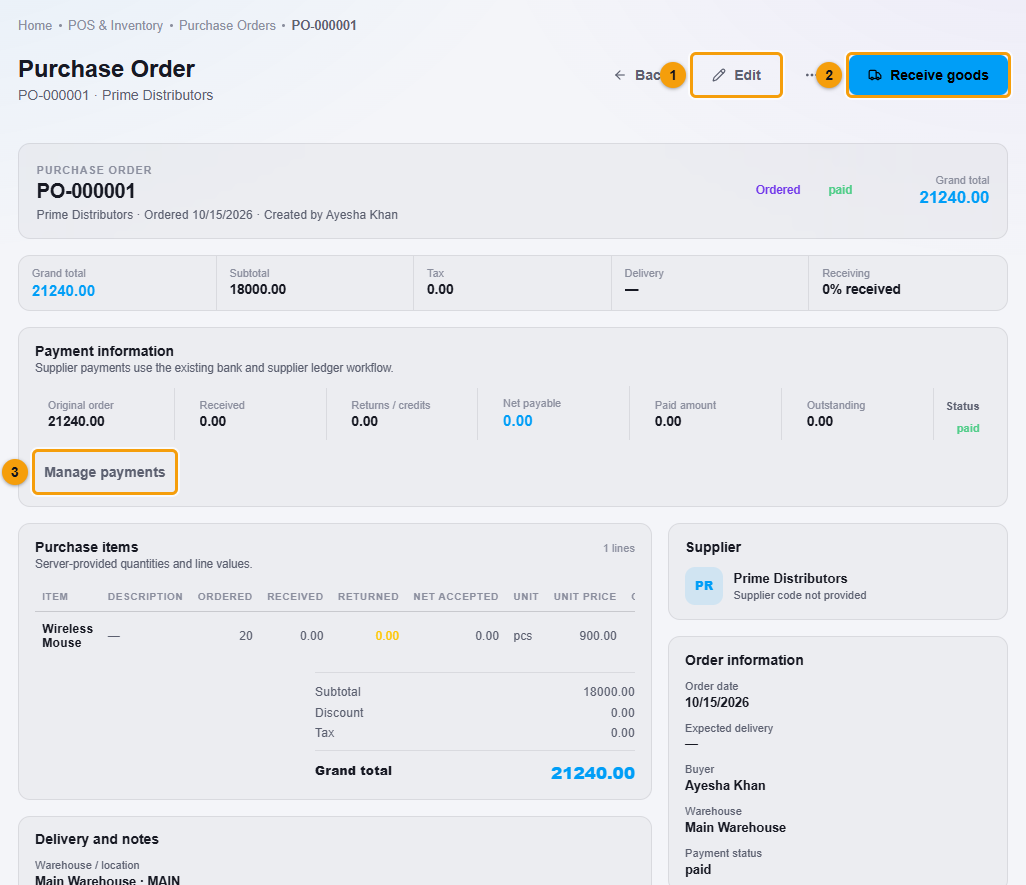
Edit (1), Receive goods (2) and Manage payments (3).
- Click Receive goods (2). The Receive Goods window opens.
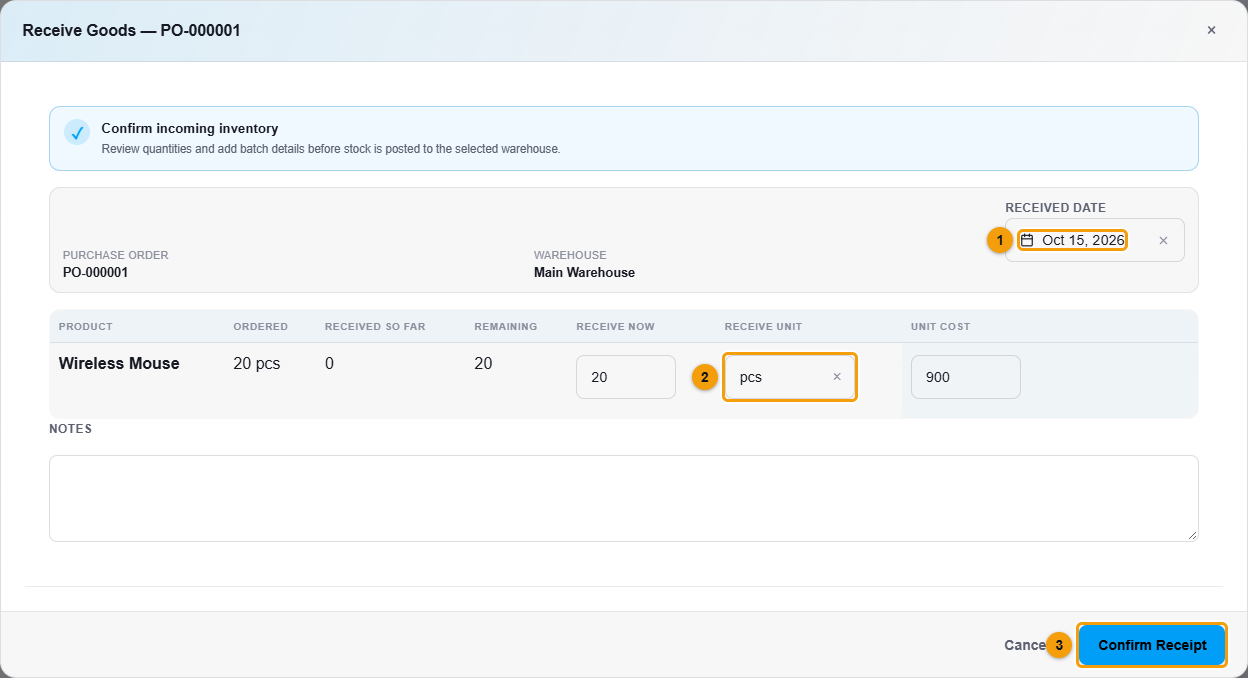
Received date (1), quantity received (2) and Confirm Receipt (3).
- Check the Received date (1).
- For each product, check Receive now (2). It starts as the full quantity still to come.
- Check the Unit cost.
- Click Confirm Receipt (3).
What happens next
- Stock goes up in the order's warehouse.
- The order shows how much has been Received and the Goods receipts count goes up.
- The order now shows what you owe the supplier for the goods received. Before goods are received, Net payable is 0, so the payment status can read paid.