Purchasing & Suppliers
Suppliers
Starter and above · 1 min read · Updated 16 October 2026
What this does
A supplier record keeps the details of a business you buy from, and how much you owe them.
Steps
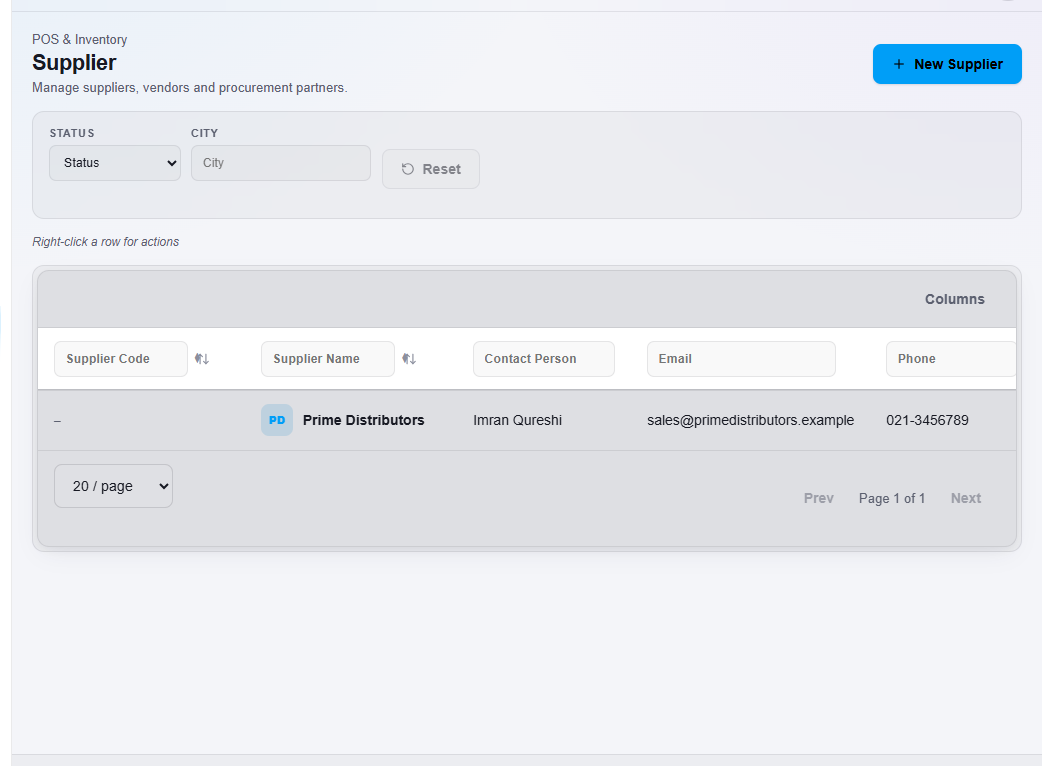
- Open Supplier, then All Suppliers.
- Click New Supplier. The New Supplier window opens.
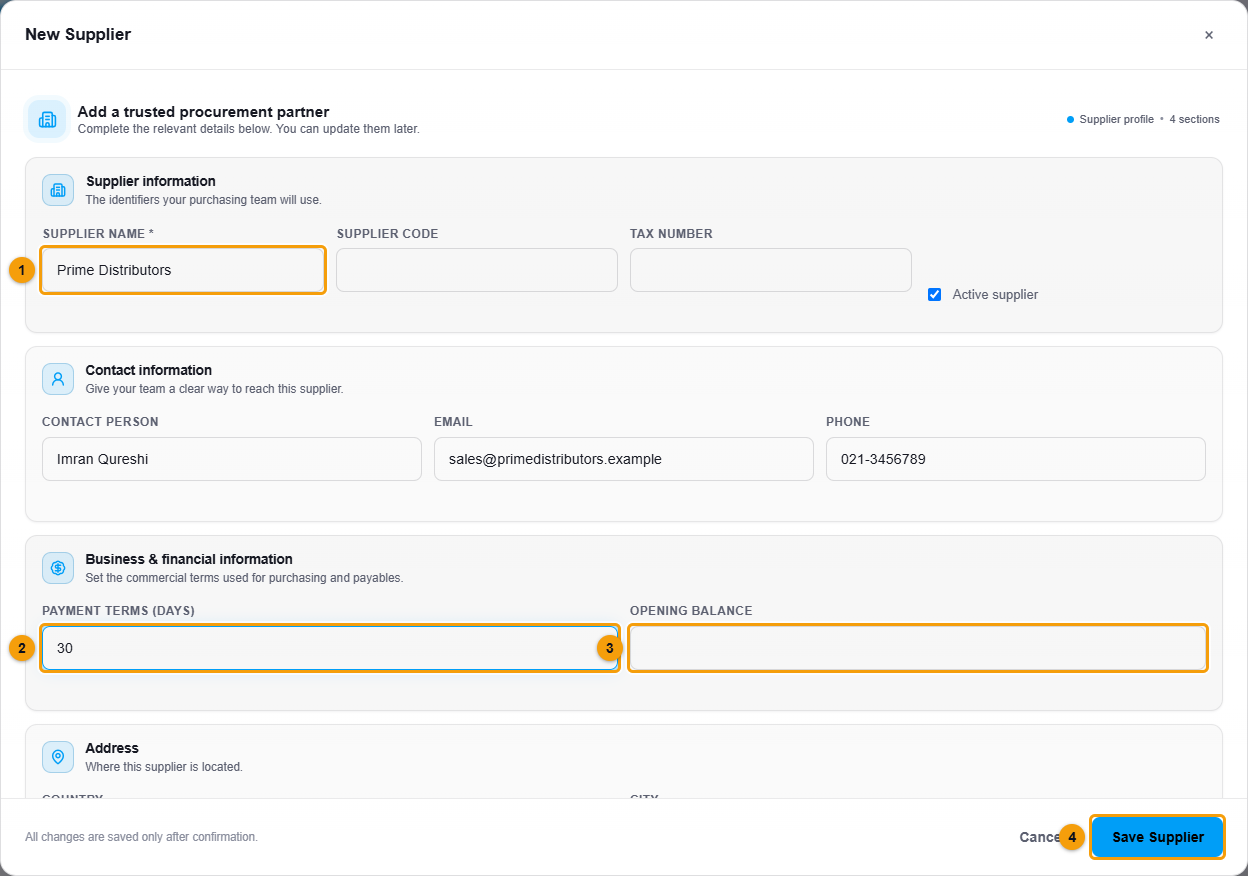
Supplier name, payment terms and opening balance.
- Enter the Supplier name (1). You can add a Supplier code and Tax number.
- Add the Contact person, Email and Phone.
- Enter the Payment terms (days) (2), for example 30 if you normally pay after 30 days.
- If you already owe this supplier money from before, enter it as the Opening balance (3).
- Add the address if you want it on file.
- Click Save Supplier (4).
What happens next
The supplier appears in the list and can be chosen on purchase orders.