Accounting & Banking
Customer and supplier ledgers
Starter and above · 1 min read · Updated 16 October 2026
What this does
A ledger shows, for one customer or supplier, every amount added to their balance and every payment that reduced it. The balance summary lists everyone at once.
Customer Ledger
- Open Customer, then Ledger.
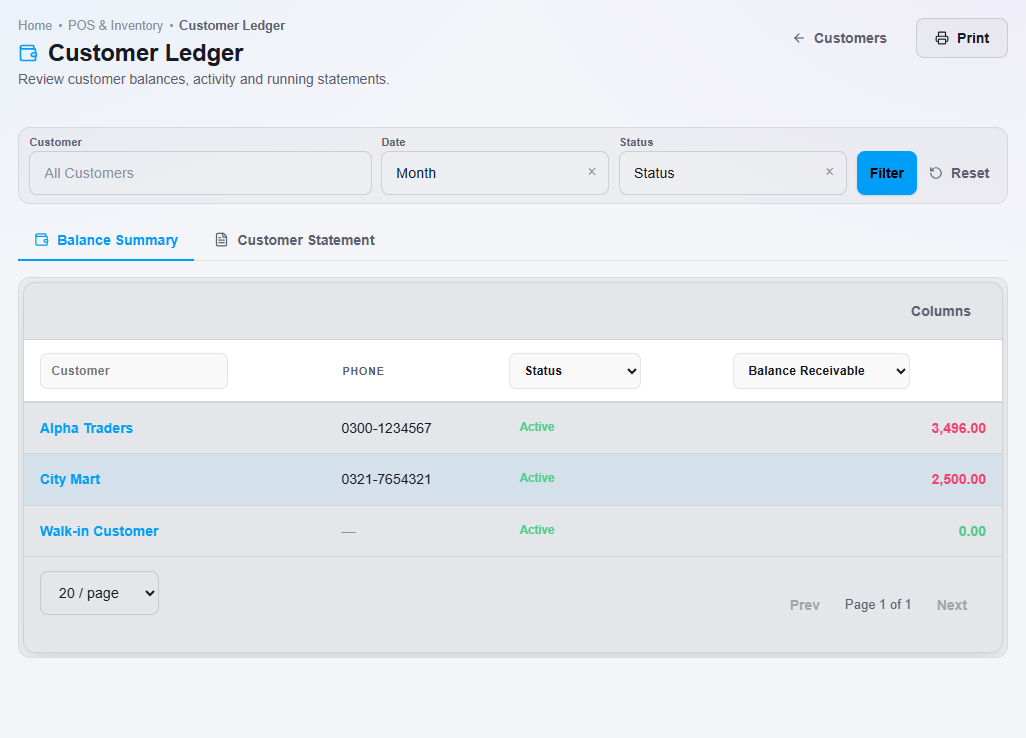
- The Balance Summary tab lists each customer with their Balance Receivable, the amount they owe you. Use the filters to choose a customer, a date range or a status.
- Open the Customer Statement tab to see the detailed transactions for one customer.
- Click Print to print what you are viewing.
Supplier Ledger
- Open Supplier, then Ledger.
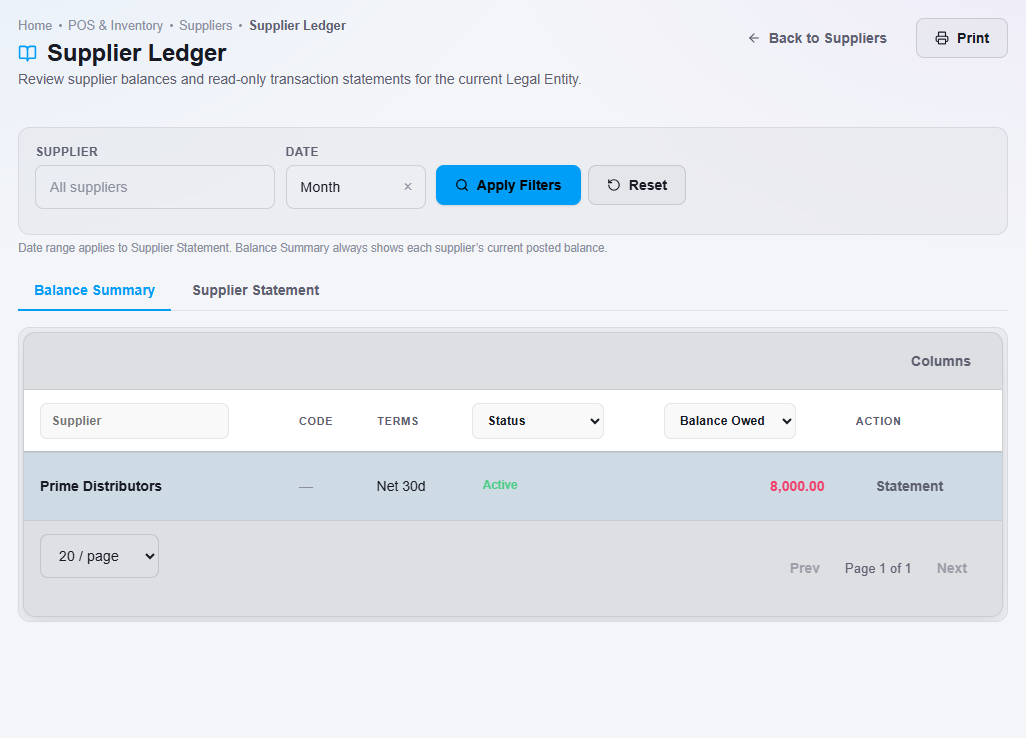
- The Balance Summary tab lists each supplier with their Balance Owed.
- Click Statement next to a supplier, or open the Supplier Statement tab, for the detailed transactions.
Ledger Reports
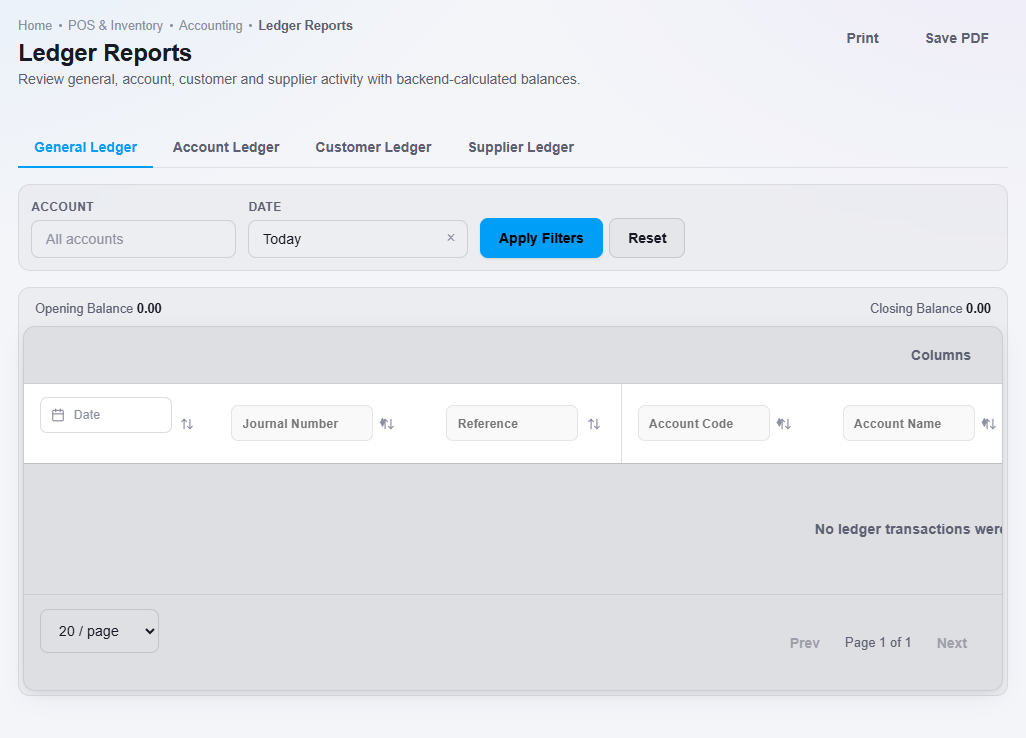
For a ledger across all accounts, open Finance, then Ledger Reports. It has four tabs: General Ledger, Account Ledger, Customer Ledger and Supplier Ledger. You can print the page or save it as a PDF.
What happens next
Balances change as you sell, buy and record payments. See Receive a customer payment and Pay a supplier.