Accounting & Banking
Vouchers and journal entries
Business and above · 2 min read · Updated 17 October 2026
What this does
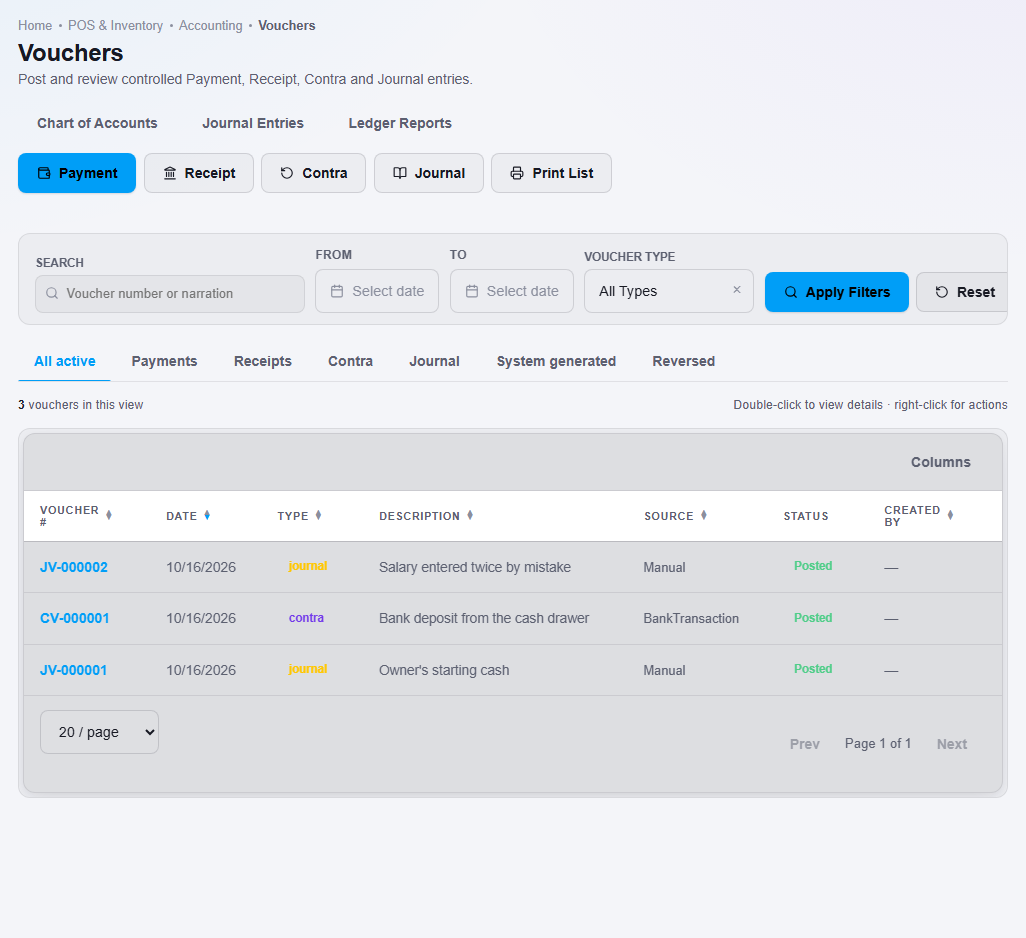
A voucher is a record of money moving. NEXTOREx has four kinds:
- Payment: money you pay out, for example to a supplier.
- Receipt: money you receive, for example from a customer.
- Contra: money moved between your own cash and bank accounts.
- Journal: a manual entry for an accountant, with debits and credits that must balance.
Sales, purchases and other actions in NEXTOREx also create entries for you. These are marked as system generated.
Steps
To see vouchers:
- Open Finance, then Voucher.
- Use the filters at the top to search by text, date or voucher type.
To post a voucher:
- Click Payment, Receipt, Contra or Journal.
- Fill in the window. See Pay a supplier and Receive a customer payment.
- For a Journal voucher, add lines with Add line. Each line has an account and either a debit or a credit. The bottom of the window shows Balanced when debits equal credits.
- Click the post button.
To look at or undo a voucher:
- Right-click the voucher in the list.
- Choose View details, Print voucher or Reverse voucher.
What happens next
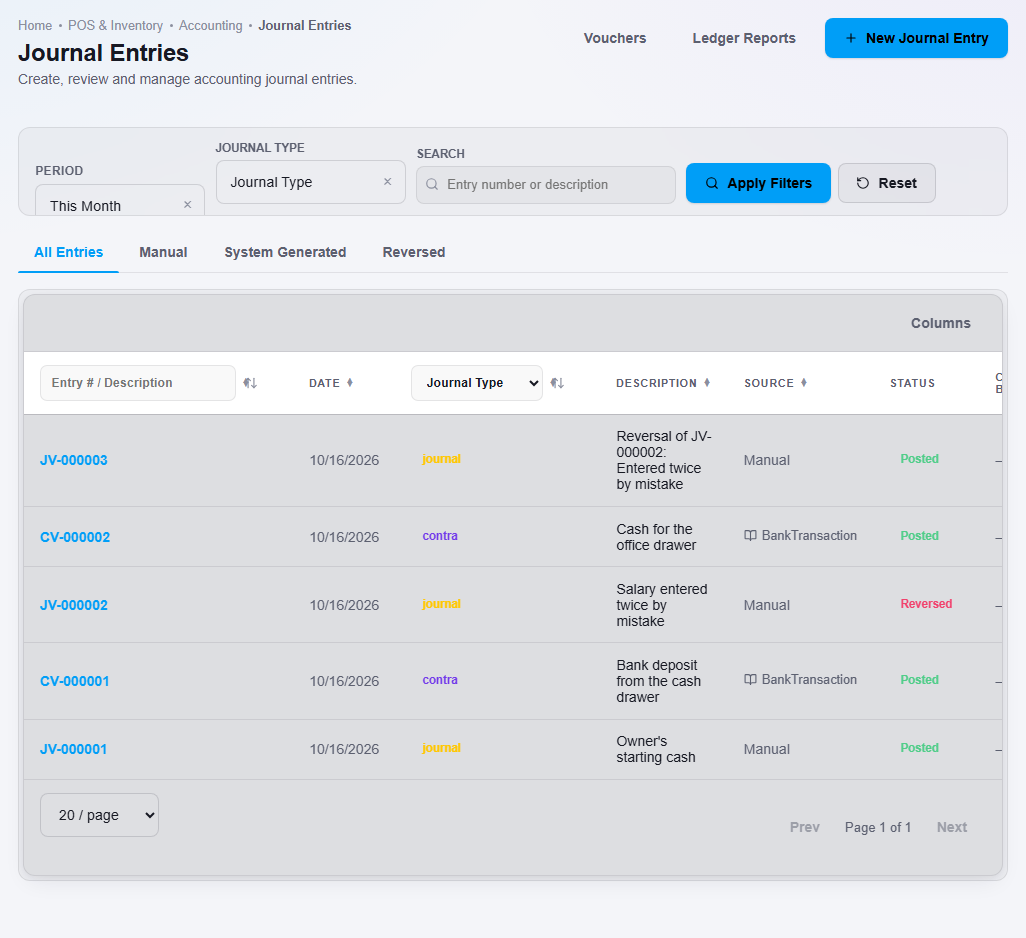
If you made a mistake, choose Reverse voucher instead of trying to edit it. NEXTOREx records an opposite entry and marks the original as reversed. Then post the correct voucher.
The Journal Entries page shows all entries, with filters for manual, system generated and reversed entries.
Schools and academies that use Education record student receipts and staff payments with the same screen. The party box shows Student, Staff, Customer and Supplier badges. See Education receipt and payment vouchers.
Step-by-step guides
- Post a journal voucher
- Move money between your own accounts (Contra voucher)
- Reverse a voucher
- Ledger reports