Accounting & Banking
Post a journal voucher
Business and above · 2 min read · Updated 16 October 2026
What this does
A journal voucher is a manual entry for your accountant. You choose the accounts, and for each account you enter either a debit or a credit. NEXTOREx only posts the voucher when total debits equal total credits.
This guide posts a month-end accrual: the October salary of 30,000 is an expense now, and you owe it.
Before you start
- You need permission to post vouchers. Your plan must include accounting.
- Know the accounts you will use. Open Chart of Accounts to look them up. See Chart of Accounts.
Steps
- Open Finance, then Voucher.
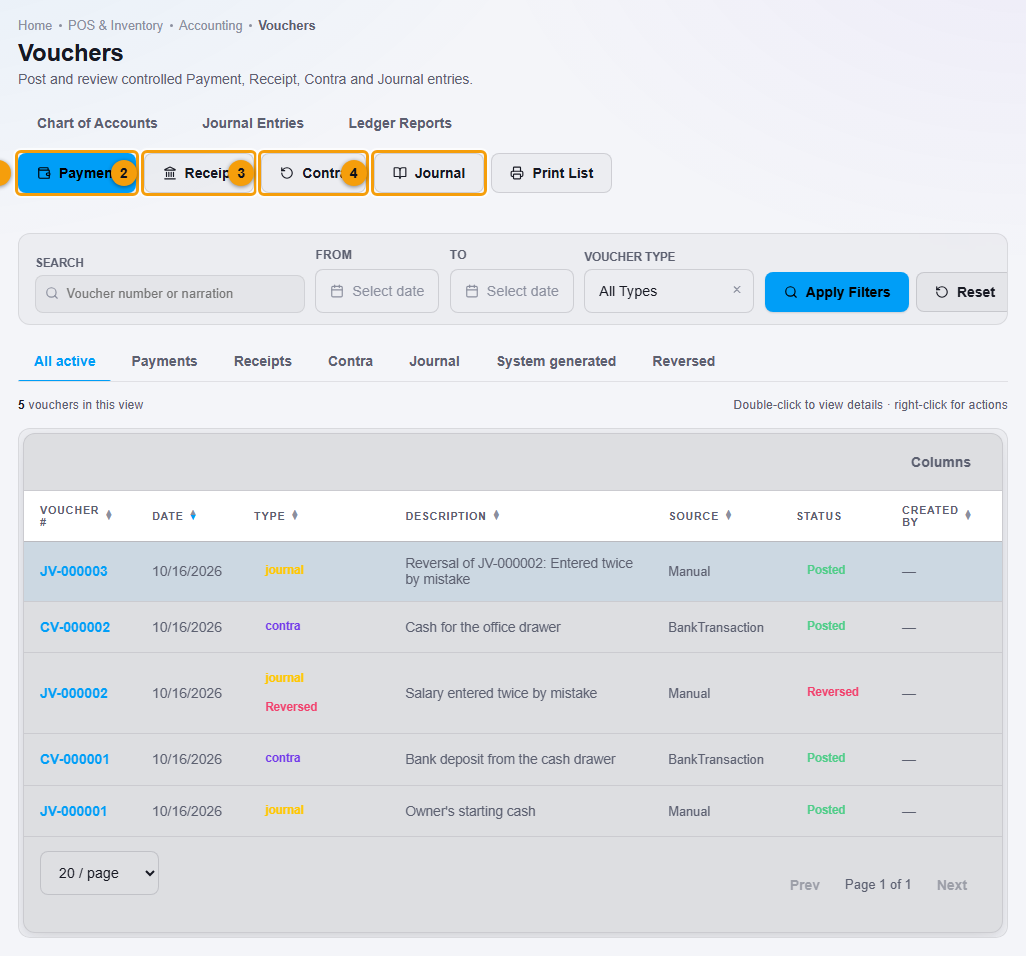
Payment (1), Receipt (2), Contra (3) and Journal (4).
- Click Journal (4). The Journal Voucher window opens.
- Check the Voucher date. Type a Narration (1), for example October salary accrual.
- On the first line, choose the Account (2), for example Salary Expense, and type the amount under Debit (3).
- On the second line, choose Accounts Payable and type the same amount under Credit.
- Use Add line if you need more lines. Use the bin icon to remove a line.
- Check the bottom of the window. It shows the total debit, the total credit and Balanced (4).
- Click Post Journal (5).
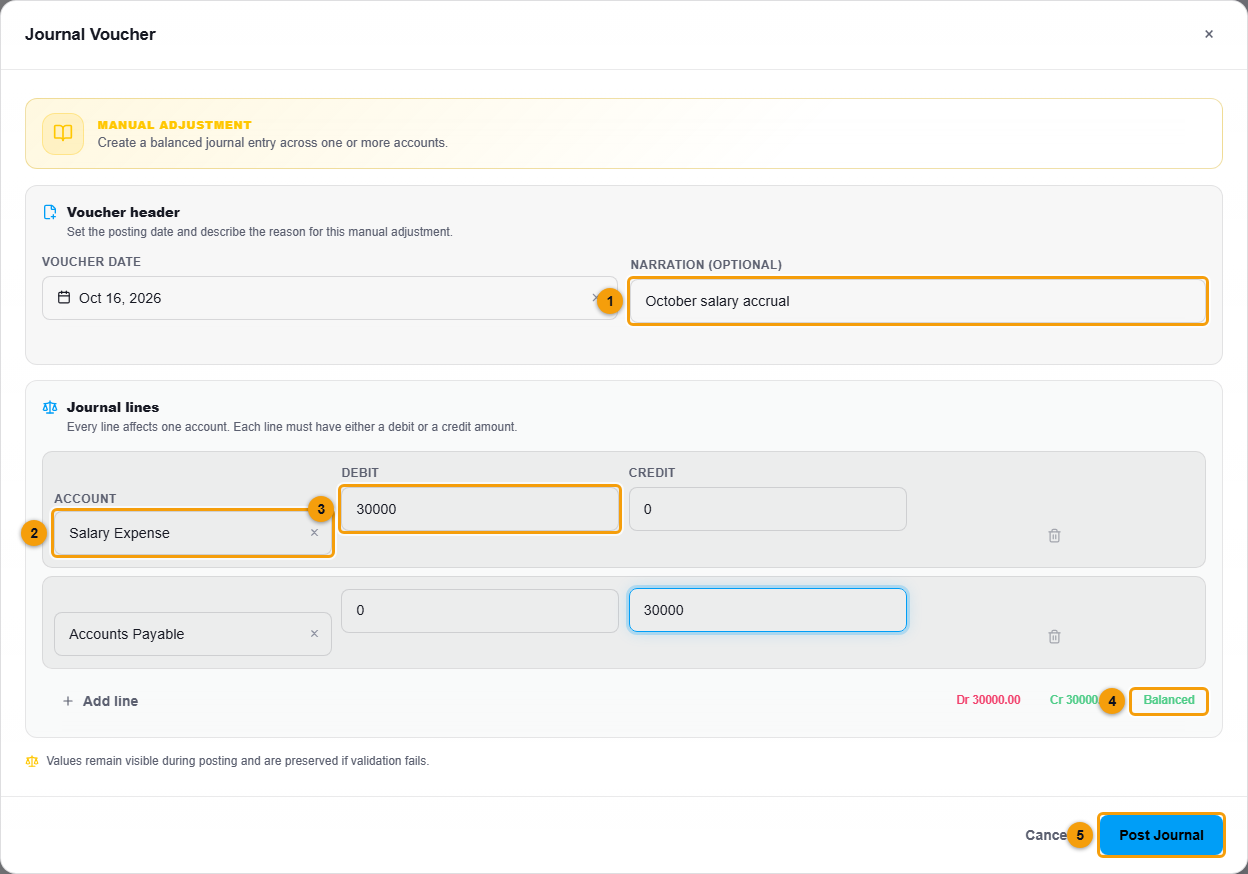
Narration (1), account (2), debit (3), Balanced (4) and Post Journal (5).
What happens next
The voucher is posted with a number such as JV-000004 and appears in the Vouchers list with the source Manual. Double-click it to open the details: the voucher lines, the total debits and credits, and the note Posted entries are immutable.
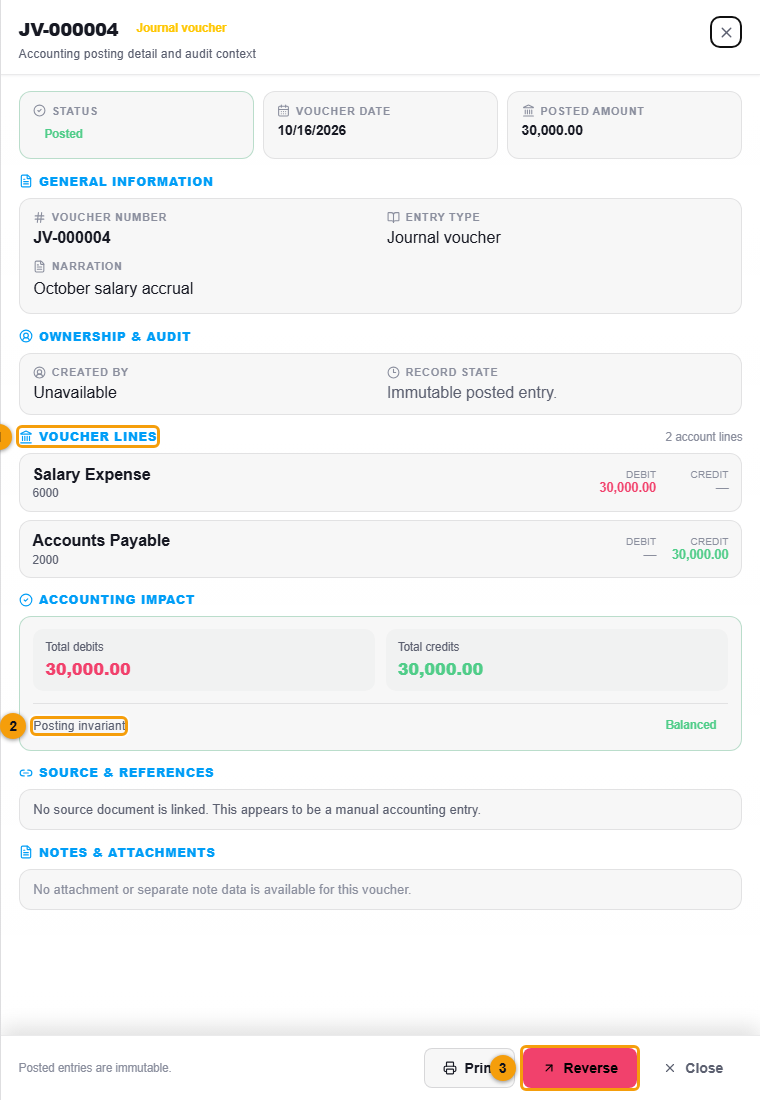
The accounts change straight away. Salary Expense shows in your Profit and Loss report, and Accounts Payable shows in your Balance Sheet.
Important notes
- You cannot edit or delete a posted voucher. If it is wrong, reverse it and post the correct one.
- Each line has a debit or a credit, not both.
- Do not use a journal voucher to move money in or out of a bank or cash account. Use a Contra voucher, a payment, a receipt or a bank transaction, so the balance shown for the bank or cash account stays right.