Accounting & Banking
Profit and Loss report
Business and above · 1 min read · Updated 16 October 2026
What this does
The Profit & Loss report adds up your income and your expenses for a period and shows the difference: your net profit.
Steps
- Open Reports, then Profit & Loss.
- Choose the From date and To date.
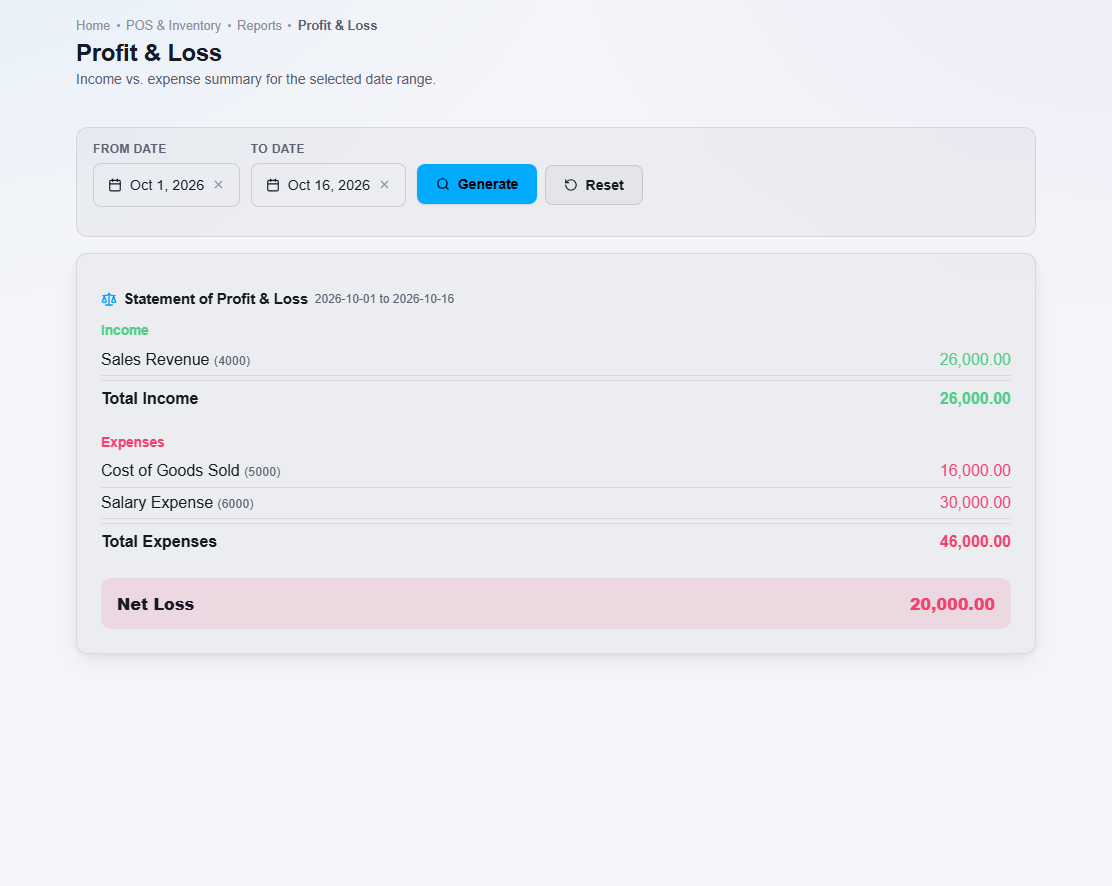
- Click Generate.
What happens next
The report lists each income account (such as Sales Revenue) and each expense account (such as Cost of Goods Sold), with totals and the Net Profit. Click Reset to return to the default dates.
Important notes
- Opening stock that you enter as an Opening Balance stock adjustment is not part of your profit. It is recorded as Inventory (an asset) and Opening Balance Equity. See How opening stock is recorded.
- The report counts only what is posted in the dates you choose.