Accounting & Banking
Balance Sheet
Business and above · 1 min read · Updated 16 October 2026
What this does
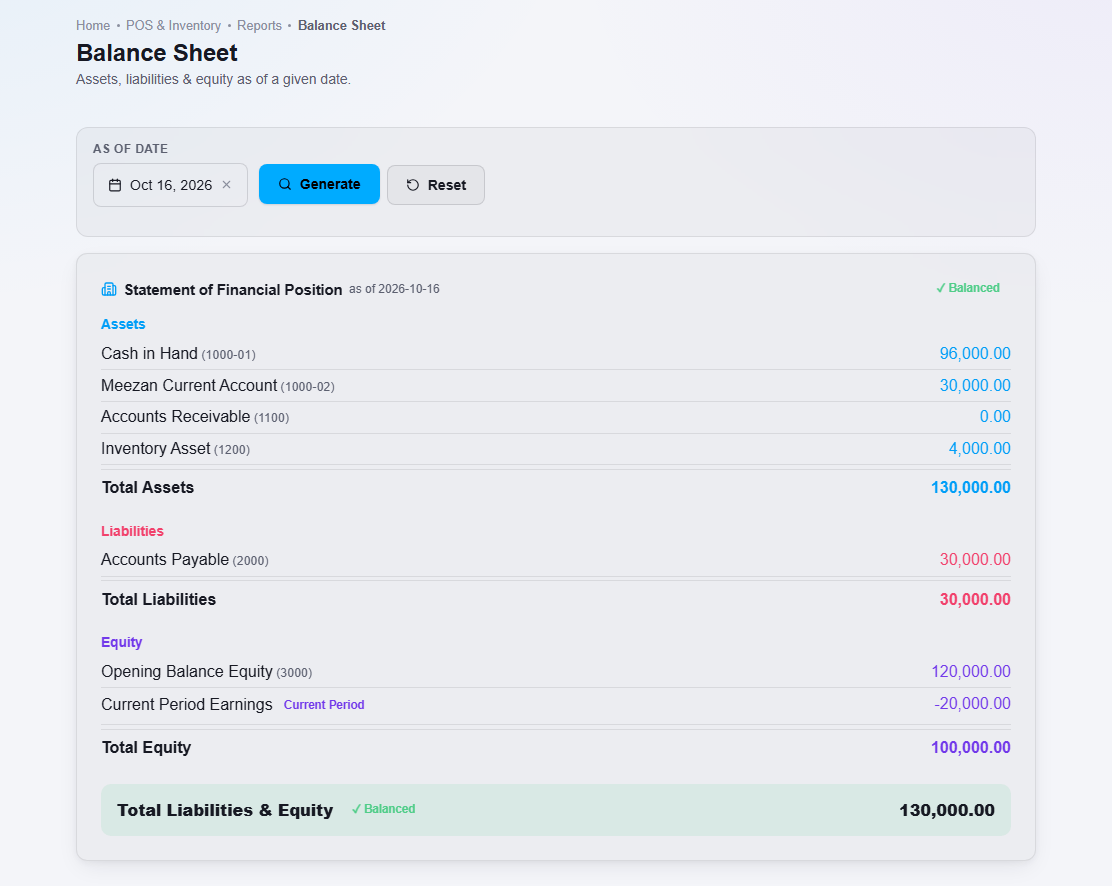
The Balance Sheet shows your Assets (what you own, such as cash, money customers owe you and stock), your Liabilities (what you owe, such as supplier balances and sales tax payable) and your Equity on one date.
Steps
- Open Reports, then Balance Sheet.
- Choose the As of date.
- Click Generate.
What happens next
The report lists each account with its balance and shows totals. A green Balanced mark appears when total assets equal total liabilities plus equity.
Important notes
- Sales tax you charged on sales orders is shown as a liability (Sales Tax Payable), not as part of your sales revenue.
- Profit for the current period is shown as Current Period Earnings under Equity.