Accounting & Banking
Deposits, withdrawals and transfers
Business and above · 1 min read · Updated 16 October 2026
What this does
Use these to keep your bank and cash balances correct for money that does not come from a sale or a supplier payment: depositing takings, paying an expense from the bank, or moving cash to the bank.
Before you start
- Add your bank and cash accounts.
Record a deposit
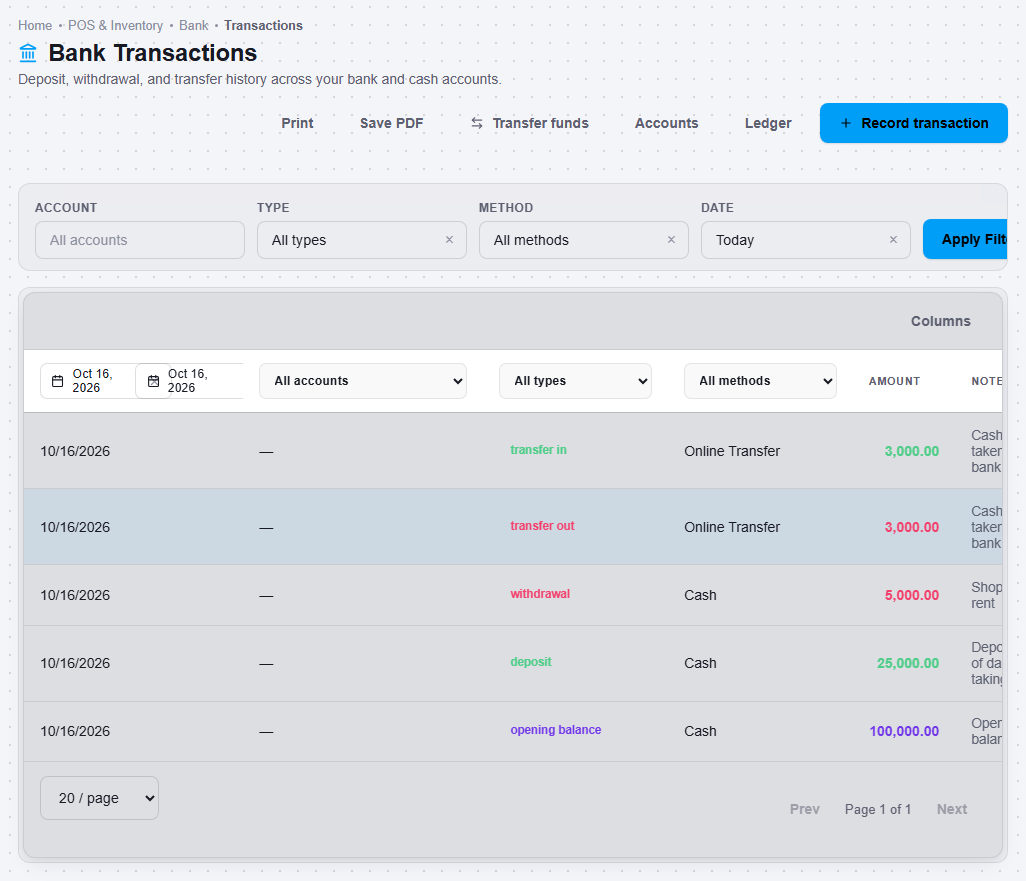
- Open Finance, then Bank Transaction.
- Click Record transaction.
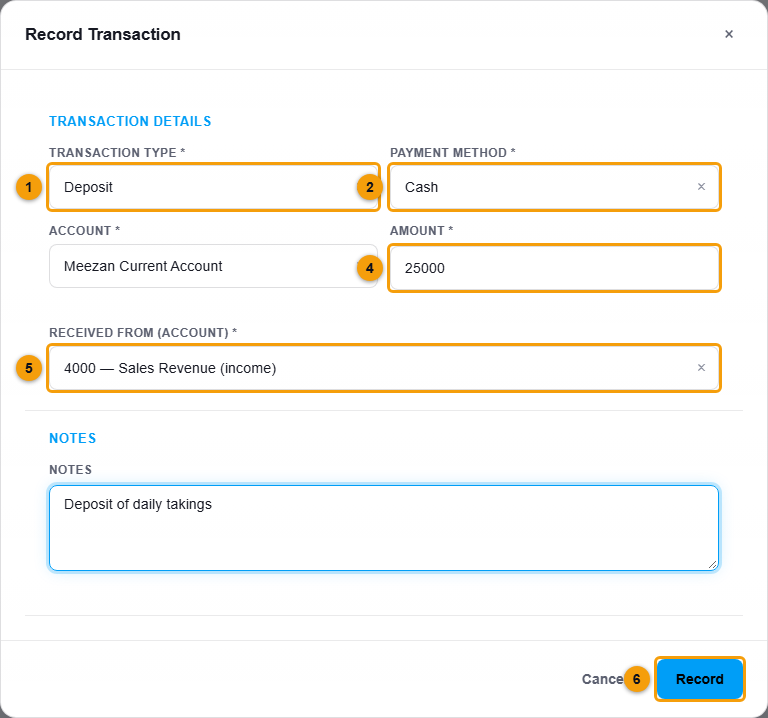
Type (1), method (2), account (3), amount (4), where the money came from (5) and Record (6).
- Choose Transaction type (1) Deposit.
- Choose the Payment method (2).
- Choose the Account (3) that receives the money.
- Enter the Amount (4).
- Choose Received from (account) (5), the account the money comes from.
- Add a note and click Record (6).
Record a withdrawal
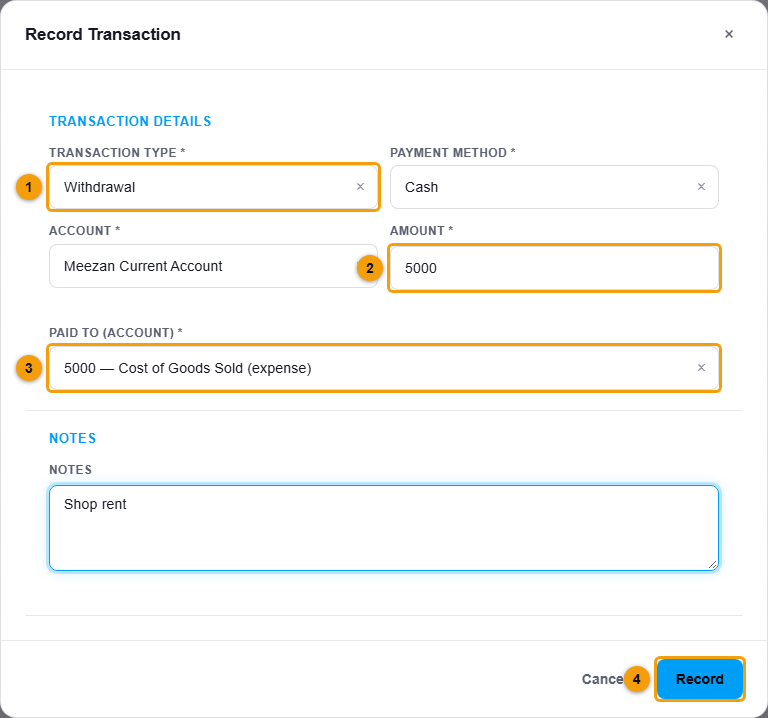
Do the same, but choose Withdrawal as the type. The last box becomes Paid to (account). Choose the account the money was spent on.
Move money between your accounts
- Click Transfer funds.
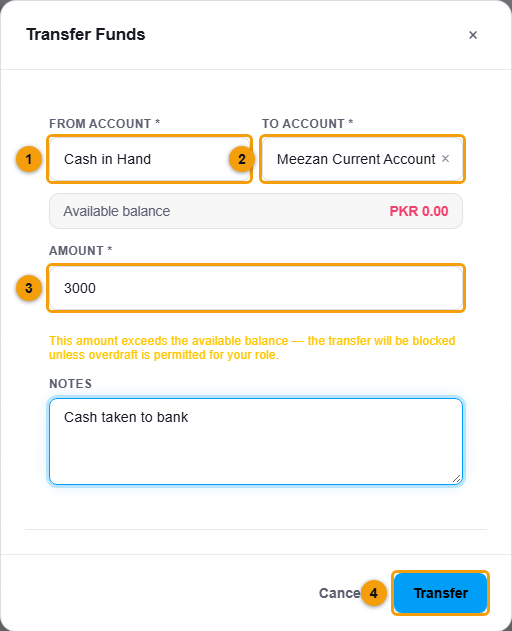
From account (1), to account (2), amount (3) and Transfer (4).
- Choose the From account (1) and the To account (2).
- Enter the Amount (3) and click Transfer (4).
What happens next
The transaction appears in the list with its type, account and amount. Both balances update.