Purchasing & Suppliers
Purchase returns
Starter and above · 2 min read · Updated 16 October 2026
What this does
A purchase return sends goods back to a supplier. The returned quantity leaves your stock, and the value of the goods reduces what you owe that supplier.
Before you start
- Open a purchase order that has received goods. See Receive goods.
- The Return Goods window shows how much of each product can still be returned.
Steps
- Open Supplier, then Purchase Order, and open the order (for example PO-000003).
- Click the ... button at the top right and choose Return goods (1).
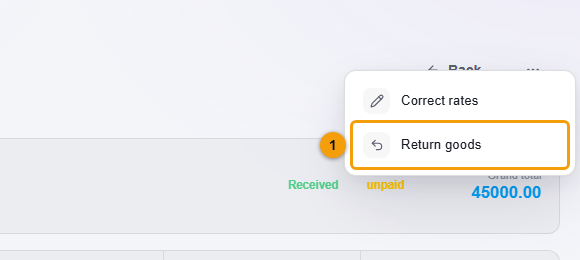
Return goods (1).
- Check the Return warehouse (1). Stock leaves this warehouse.
- Type the Reason for return (2), for example Faulty units.
- Enter the Return Qty (3) for each product. You cannot return more than the returnable quantity.
- Click Confirm Return (4).
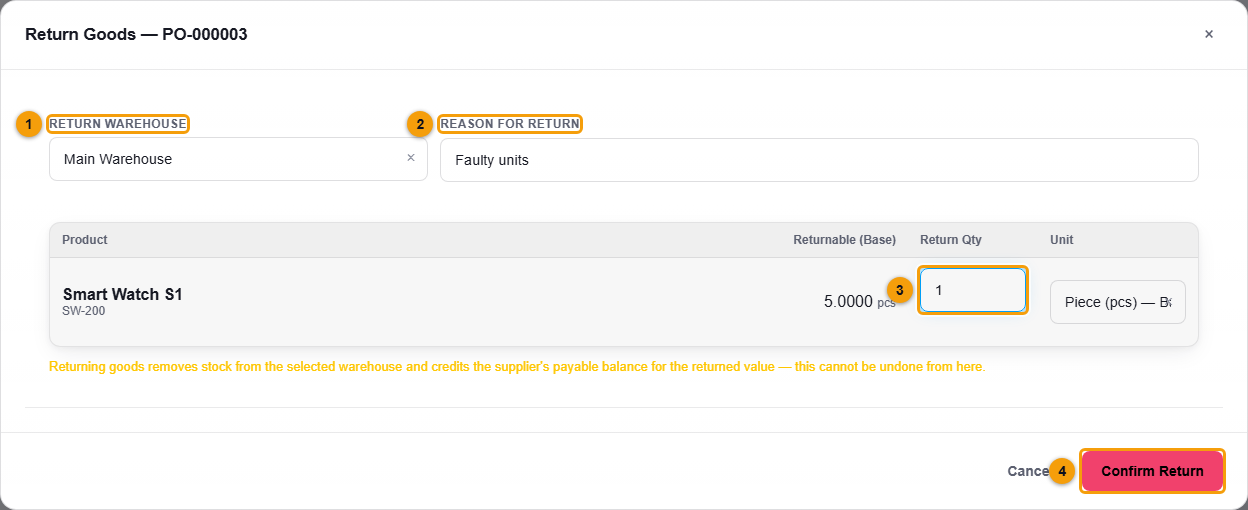
Return warehouse (1), reason (2), return quantity (3) and Confirm Return (4).
What happens next
- A return such as PR-000001 is created with the status completed. Open Supplier, then Purchase Return to see all returns.
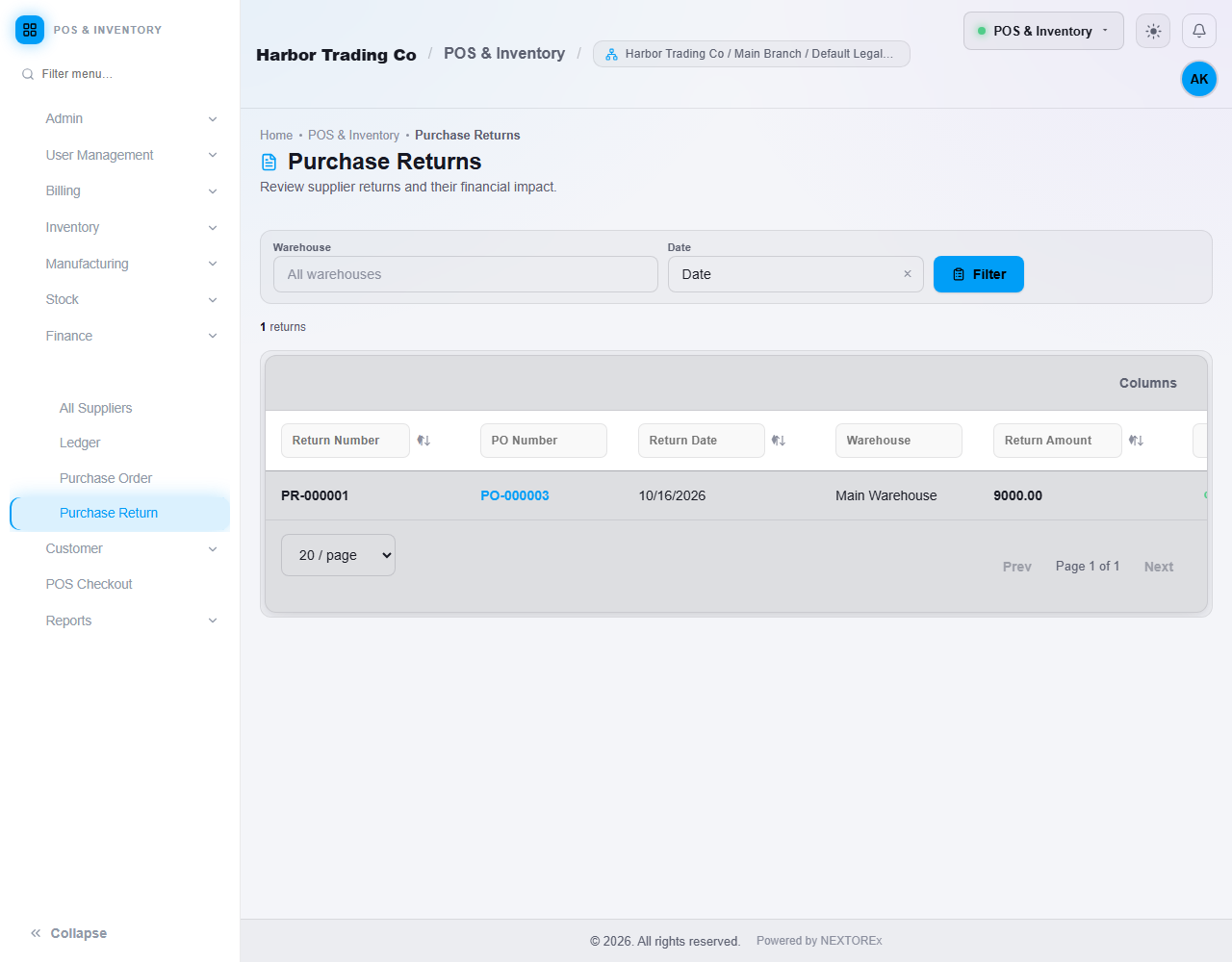
Each return, its purchase order, the amount and the status.
- The returned quantity is taken out of Stock Levels in the return warehouse.
- The value of the return reduces the supplier's payable balance. On the purchase order, the Returns / credits and Net payable figures change.
- Open the return to see the items, the reason and the financial impact.
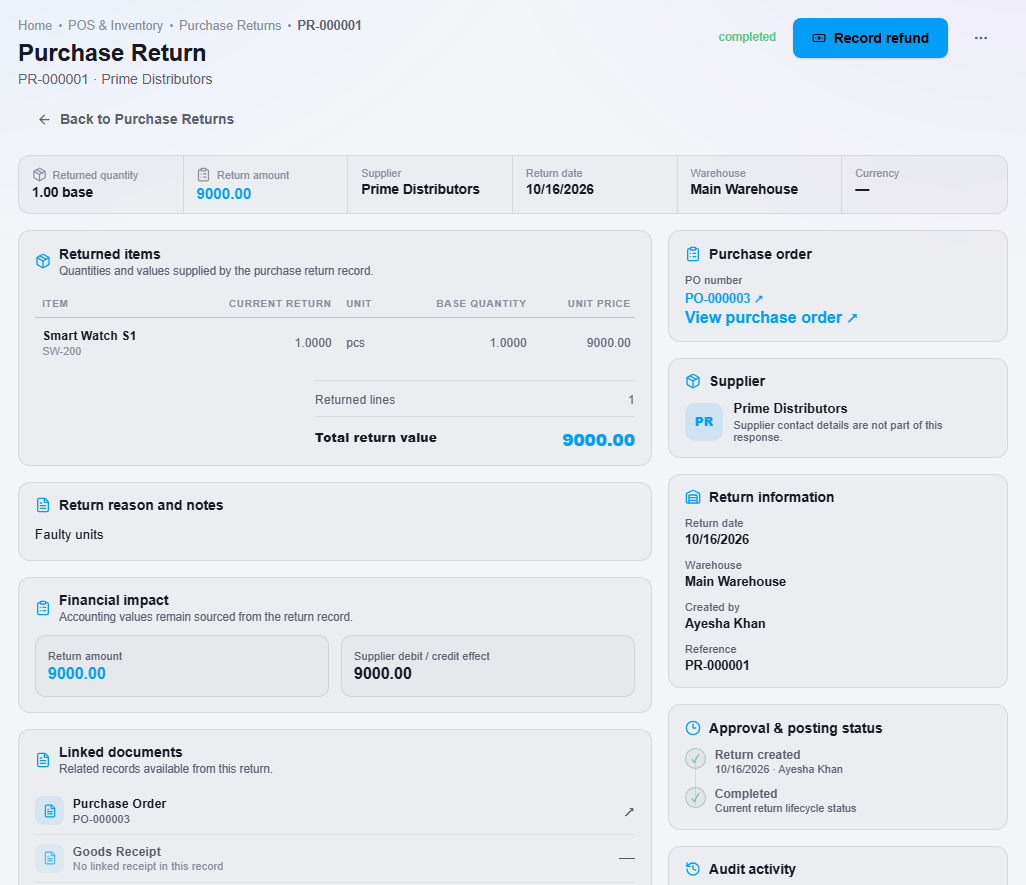
The returned items, reason and financial impact.
If the supplier pays you back in cash
Usually a return only reduces your next bill and nothing more is needed. If the supplier actually sends money back:
- Open the return and click Record refund.
- Enter the Amount received (1) and choose the Deposit into account (2).
- Click Confirm Refund Received (3).
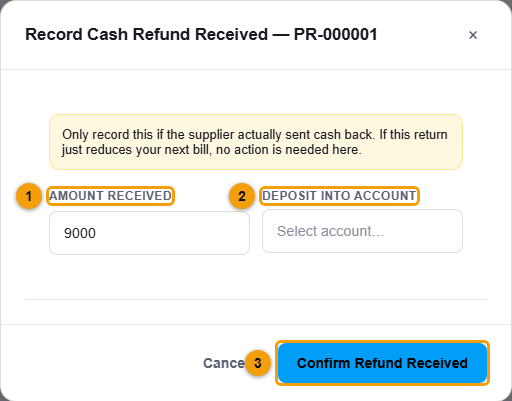
Only record a refund when money really arrived. Otherwise leave it.
Important notes
- You cannot undo a return from the return window. Check the quantity before you confirm.
- Record refund is shown only to users whose role allows refunds.
- NEXTOREx does not treat purchase tax as a separate recoverable tax in your accounts. A return follows the values on the purchase order. Ask your accountant how to treat purchase tax.