Education
Education plans, limits and combining apps
All Education packages · 5 min read · Updated 17 October 2026
What this does
This guide compares the three Education packages, explains what limits them, and shows how Education sits beside the other NEXTOREx applications in one account.
Who can use it
The owner or administrator of the account, who can open Billing, Subscriptions, Subscription & Plans.
The three Education packages
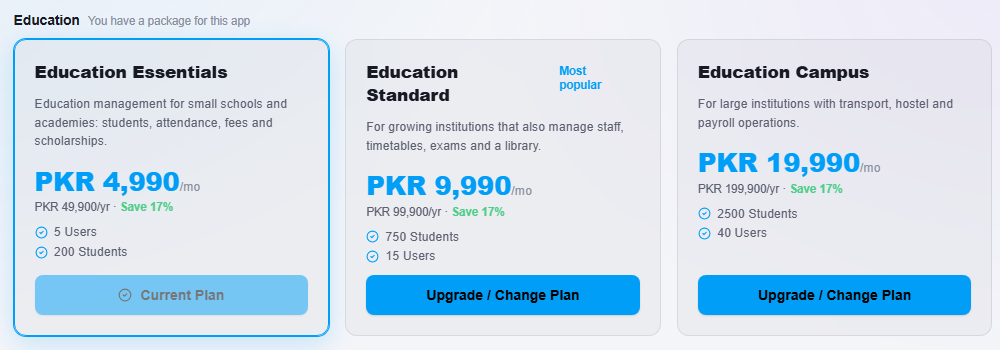
| Education Essentials | Education Standard (Most popular) | Education Campus | |
|---|---|---|---|
| Monthly price | PKR 4,990 or USD 49 | PKR 9,990 or USD 99 | PKR 19,990 or USD 199 |
| Yearly price | PKR 49,900 or USD 490 | PKR 99,900 or USD 990 | PKR 199,900 or USD 1,990 |
| Students | 200 | 750 | 2,500 |
| Users | 5 | 15 | 40 |
Education Standard is marked Most popular on the Browse Plan page.
What each package includes
- Education Essentials: students, academic structure (Groups, Sections and Subjects), student attendance, fees, scholarships and waivers, the shared finance screens for receipts and payments, the student fee statement, and the core reports (Institution Overview, Fee Collection Report and Attendance Summary).
- Education Standard adds: staff and staff attendance, timetable, exams, marks and report cards, the learning tools (study material, assignments and grading), the library and the Exam Results Analytics report.
- Education Campus adds: transport, hostel and payroll, with the Payroll Cost Report.
Multi-branch setup is part of the NEXTOREx platform for every package. It is not a feature that only Education Campus has.
Prices and limits are the ones shown above. The Browse Plan page always shows the current prices in your billing currency.
Where to see your package and usage
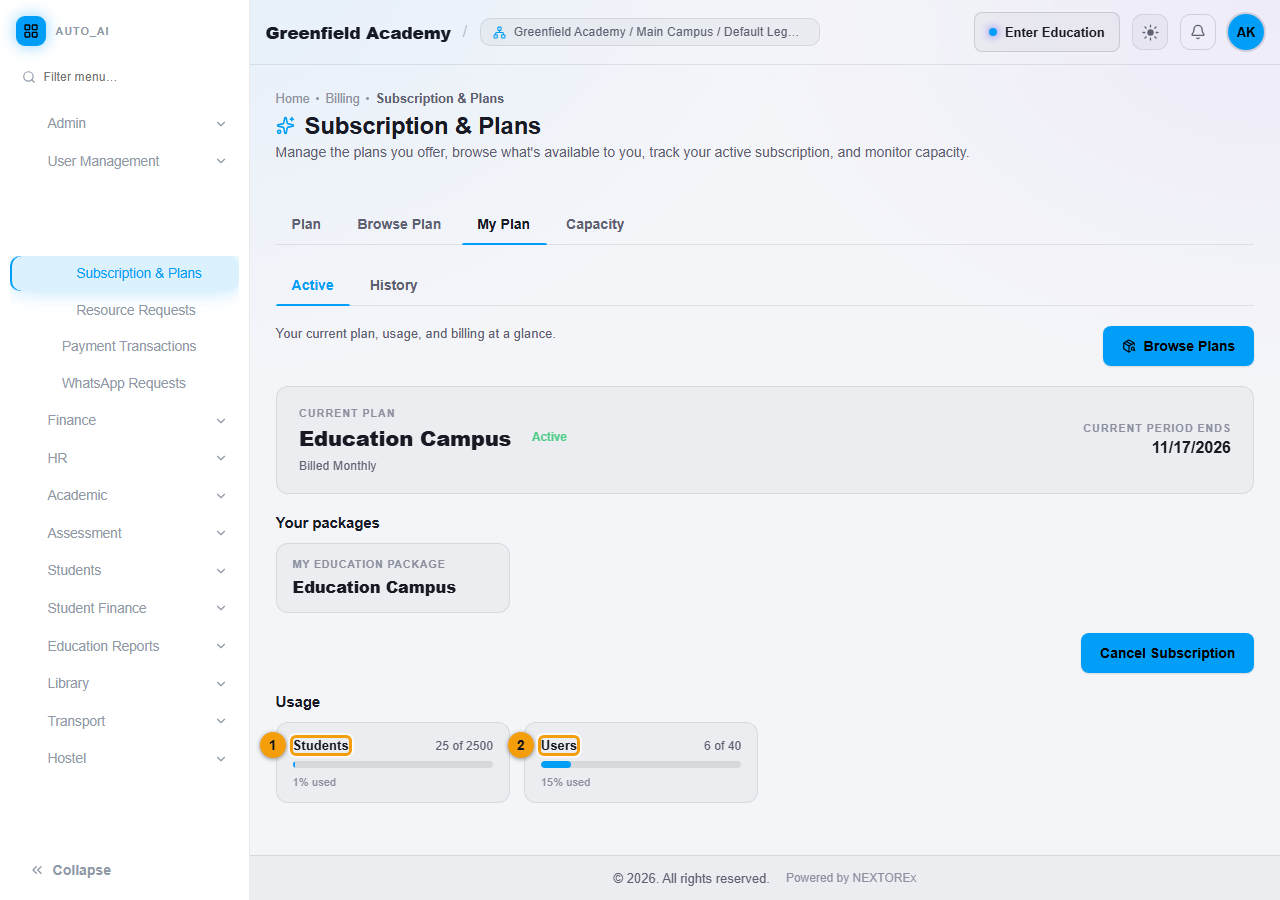
Open Billing, Subscriptions, Subscription & Plans, then My Plan. Your packages lists the package you have for each application. Usage shows Students and Users against your limits.
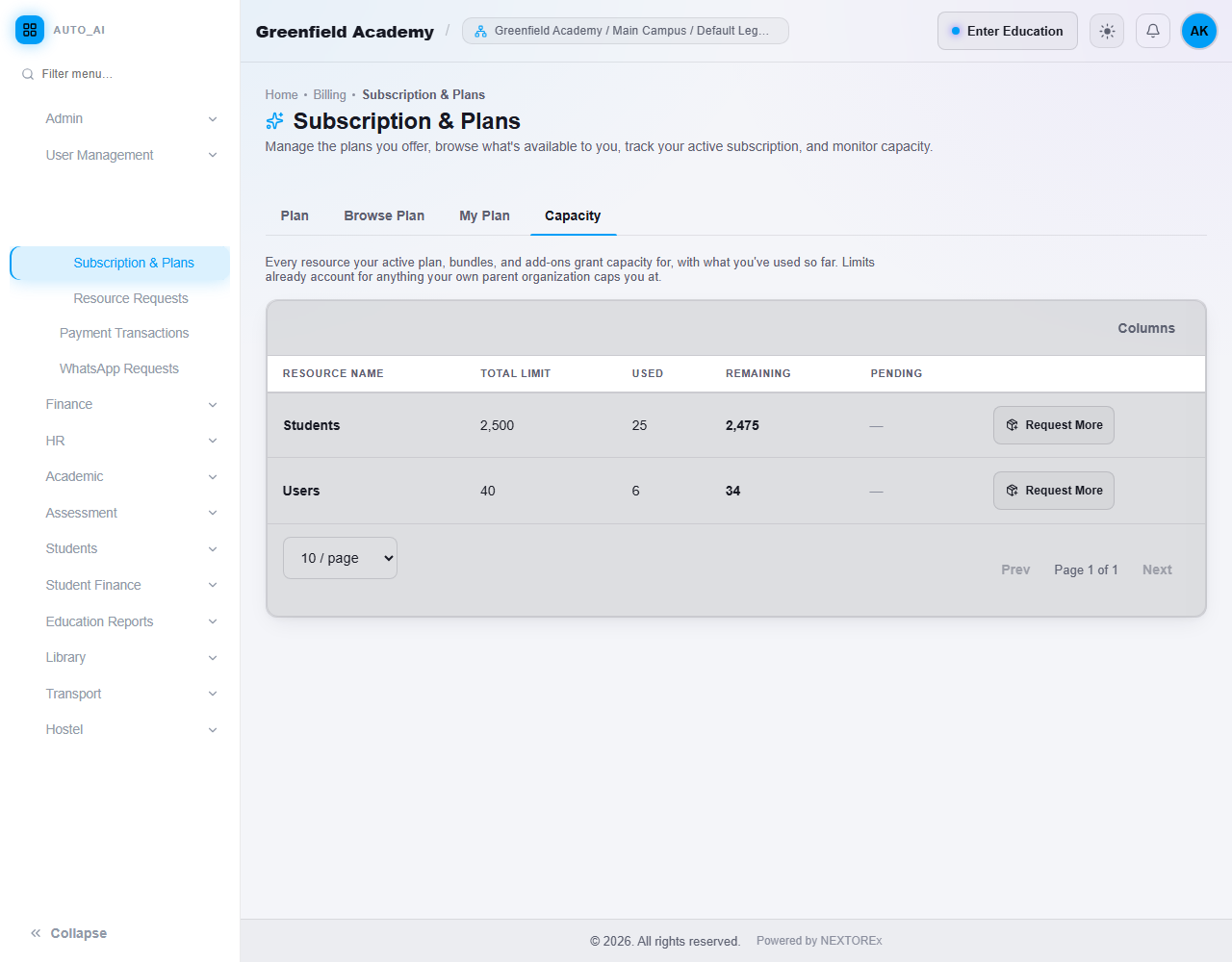
The Capacity tab lists every limit with the total, the amount used and the amount remaining.
The Student limit
A billable Student is a student who is enrolled, active and not deleted. Inquiry, Test, Admitted and Rejected records do not use a student place.
When usage reaches the limit of your package:
- your existing data stays safe,
- normal work that does not add a student keeps working, including inquiries, attendance, fees and reports,
- a new billable Student cannot be added until a place becomes free or you upgrade.
If you move to a smaller package than your current number of students, no student is deleted. For example, 600 students on a package that allows 200 stay in the system, and no new billable student can be added until the number is below the limit or you upgrade. More detail and the messages you will see are in Students: admission and management.
Users and staff
Your Users limit counts the people who sign in to run the institution. Staff uses ordinary User seats. Adding a staff member uses one seat. There is no separate staff limit. Student portal logins do not use User seats.
Combine Education with other applications
NEXTOREx has three applications that you can buy independently:
- ERP/POS
- CRM
- Education
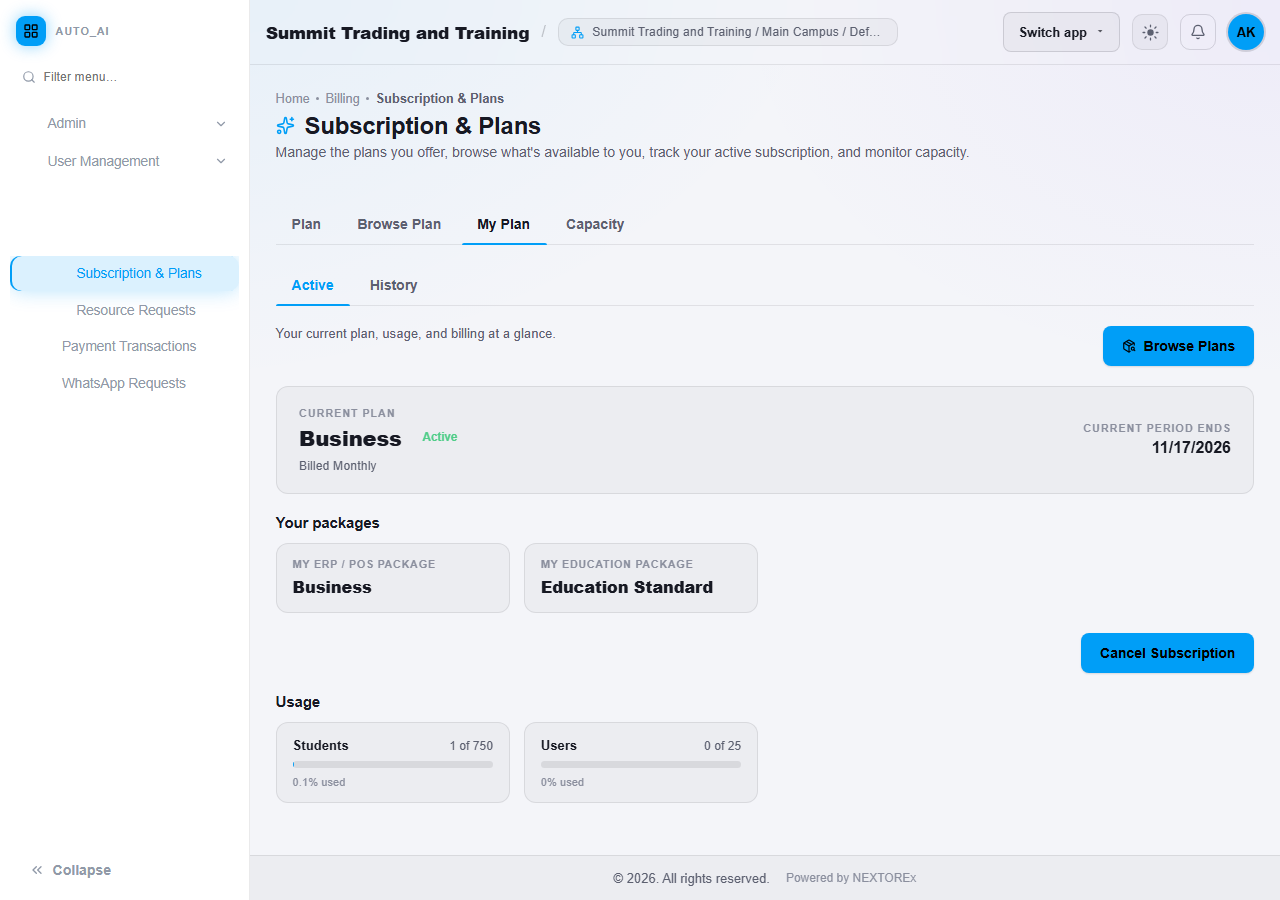
You can have any combination in one account. Each application keeps its own package. For example, a business can have the Business ERP/POS package and Education Standard together. Buying one application never gives you another, and a package of one application does not change the package of another.
To add an application:
- Open Billing, Subscriptions, Subscription & Plans, then Browse Plan.
- Find the application. If you do not have it yet, click Add this app on the package you want.
- To change the package of an application you already have, click Upgrade / Change Plan on another package of the same application.
Limits that are the same kind add up across packages. With ERP/POS Business (10 users) and Education Standard (15 users), the account has 25 users.
All packages in one account share the same billing period and the same currency, which are set by your subscription. See Your plan, usage and billing period.
White Label, Custom Domain and Reseller are not applications
White Label, Custom Domain and Multi-Tenant (reseller) are platform capabilities that come with certain plans, for example the Agency plan. They are not applications. The Education packages do not include them, and an Agency plan does not automatically include Education. If an Agency account also wants Education, it adds an Education package.
If you move to another package
- Upgrade: the new features open and the higher limits apply.
- Downgrade: your records are kept. Screens that belong to the larger package are no longer available, and nothing is deleted.
See Browse and change your plan.
Important rules
- A Student place is used only by enrolled, active students.
- Staff use User seats. Students do not.
- Applications are bought separately and each keeps its own package.
- Moving to a smaller package never deletes records.
Common mistakes
- Expecting a larger Education package to give you ERP/POS or CRM. They are separate applications.
- Counting inquiries against your Student limit. They are not counted.
- Forgetting that every staff member uses a User seat.