Basic Manufacturing
Bill of Materials (Product Orders)
Pro and above · 2 min read · Updated 16 October 2026
What this does
Basic Manufacturing: Bill of Materials and Production Orders. A Bill of Materials (BOM) lists the materials needed to make one finished product. In NEXTOREx the Bill of Materials is called a Product Order. You create it once, then use it every time you make that product.
Before you start
- The finished product and each material must exist as products.
- On the finished product, switch on Manufacture this item. On each material, switch on Use as component. These switches are under How will this item be used?.
Steps
- Open Inventory, then Manufacturing, then Product Orders.
- Click New product order.
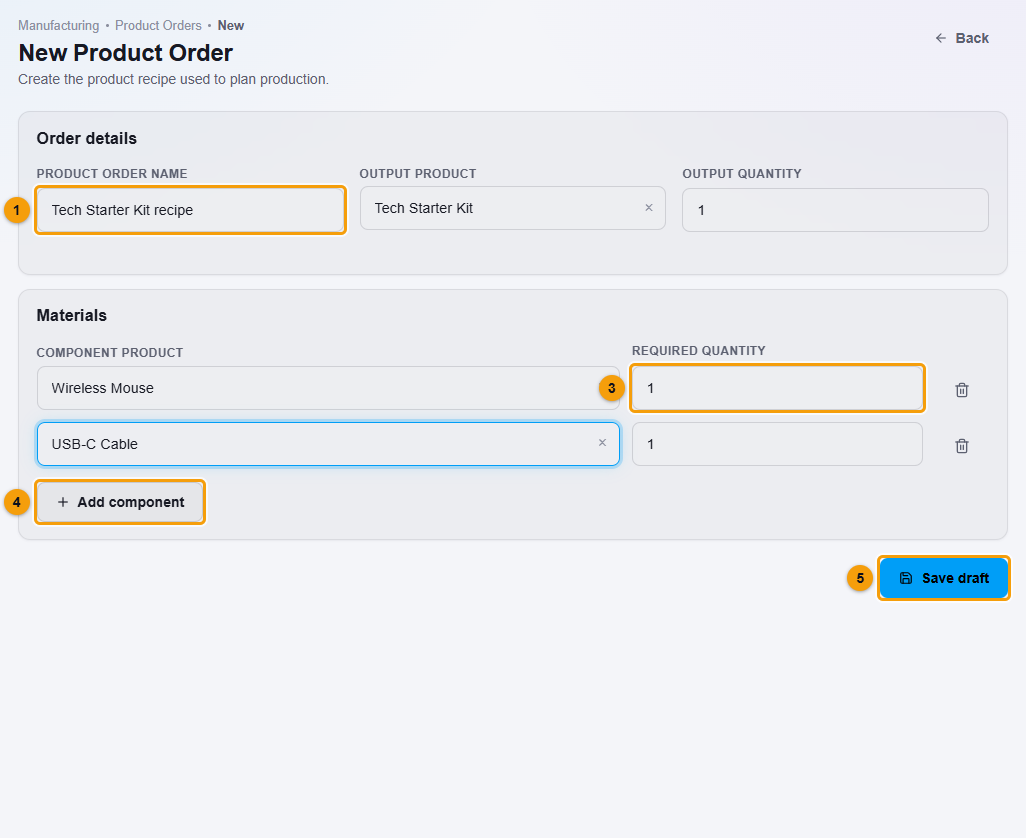
Name (1), output product (2), materials (3), Add component (4) and Save draft (5).
- Enter a Product order name (1), for example Tech Starter Kit recipe.
- Choose the Output product (2), the finished product, and the Output quantity, how many one run makes.
- Under Materials, choose the Component product (3) and the Required quantity.
- Click Add component (4) for each extra material.
- Click Save draft (5).
What happens next
The Product Order is saved as draft and listed with the number of materials.
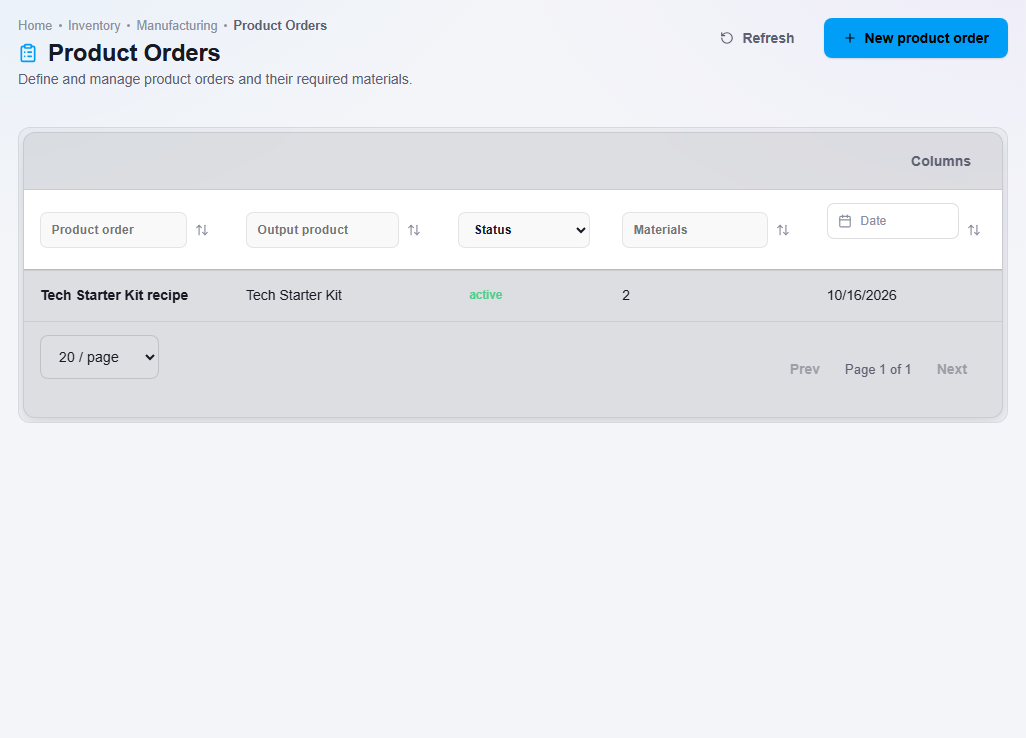
A draft cannot be used for production yet. To make it ready:
- Right-click the Product Order in the list.
- Choose Status action. The status changes to active.
Double-click a Product Order to see its output, quantity and the material requirements.
Important notes
- Only active Product Orders can be chosen when you plan production.
- This is basic manufacturing: a list of materials and a production run. It is not material requirements planning or factory scheduling.