Basic Manufacturing
Production orders
Pro and above · 1 min read · Updated 16 October 2026
What this does
A production order is one run of making a product. When you complete it, NEXTOREx uses up the materials and adds the finished product to your stock.
Before you start
- Create an active Bill of Materials (Product Order).
- Have enough stock of each material in the warehouse.
Steps
- Open Inventory, then Manufacturing, then Production Orders.
- Click New production order.
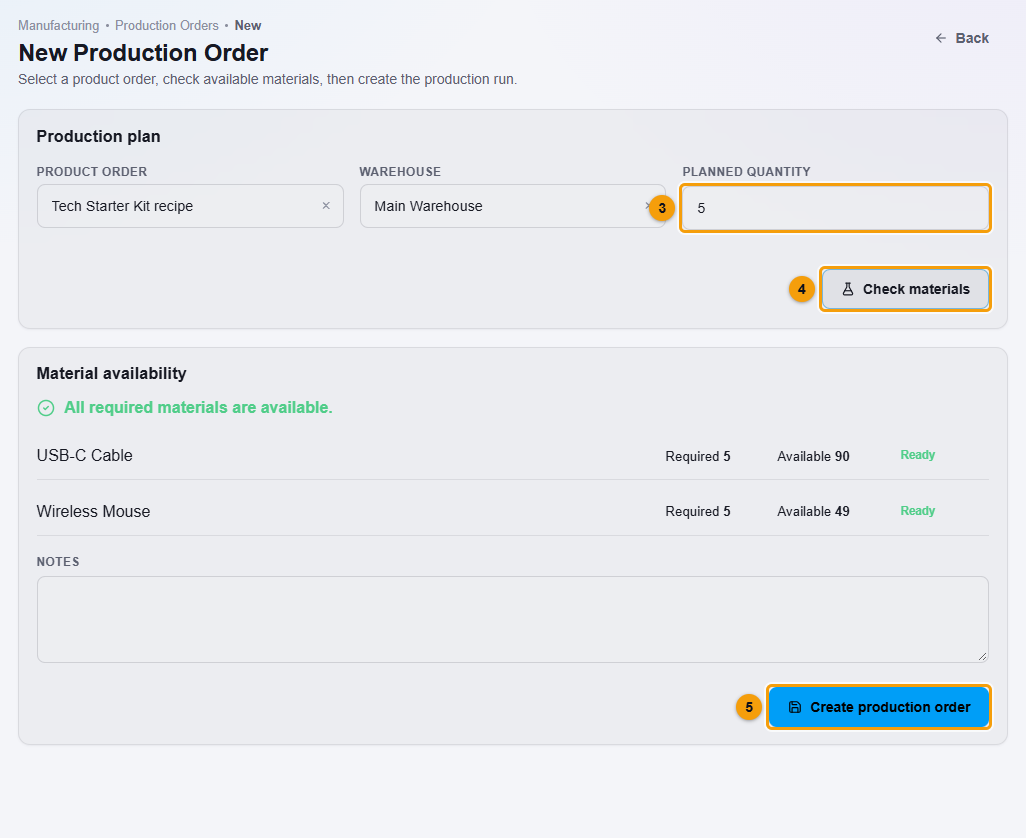
Product order (1), warehouse (2), planned quantity (3), Check materials (4) and Create production order (5).
- Choose the Product order (1). Only active Product Orders are listed.
- Choose the Warehouse (2) and enter the Planned quantity (3).
- Click Check materials (4). A list shows, for each material, how many are Required and Available, with a Ready mark when you have enough.
- Add notes if you want, then click Create production order (5).
The production order is saved as draft.
- To complete the run, right-click the production order in the list and choose Status action.
What happens next
The status changes to completed.
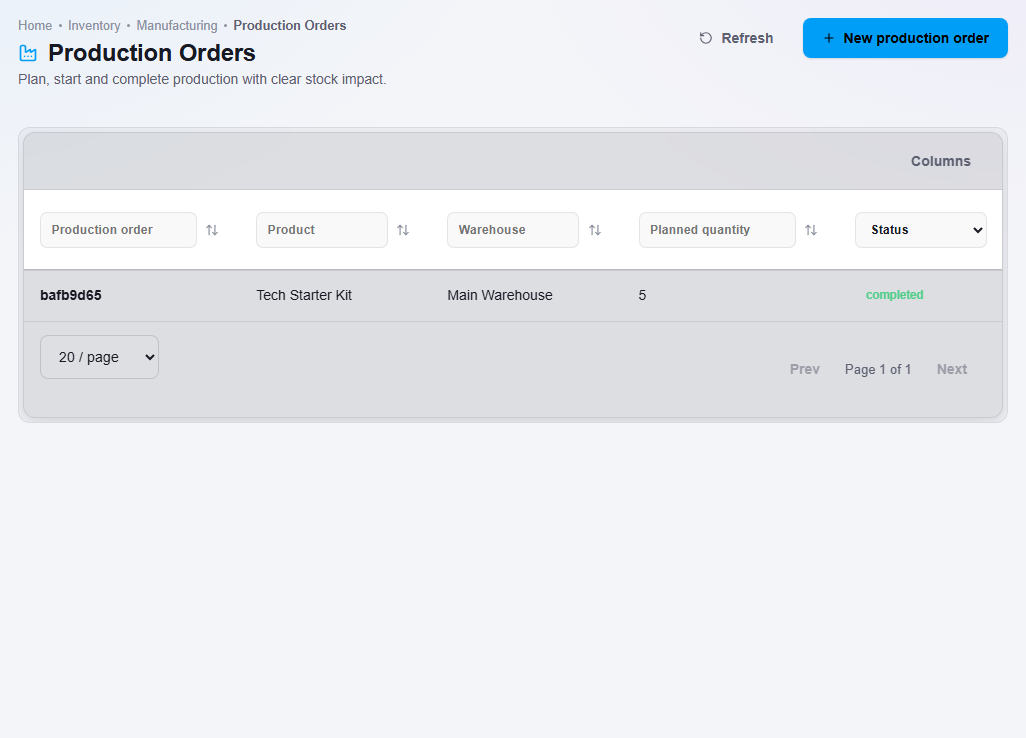
In your stock, the quantity of the finished product goes up by the planned quantity, and each material goes down by the amount the run used.
Important notes
- Check materials before you create the order. If a material is short, buy or add stock first.
- Click Status action once. It completes the run.