Education
Hostel
Education Campus · 3 min read · Updated 17 October 2026
What this does
Hostel lets you record your buildings and rooms, assign students to rooms, stop a room from taking more students than it holds, and bill the room's monthly fee to each student who lives in it.
Who can use it
Staff whose role includes the Hostel permissions.
Which package includes it
Education Campus. Education Essentials and Education Standard do not include Hostel.
Where to find it
Open Hostel. It holds Buildings, Rooms, Student Assignments and Hostel Fees.
Steps: create buildings and rooms
- Open Hostel, then Buildings. Click New Building, enter the Building Name and click Save. Buildings are optional but help you group rooms.
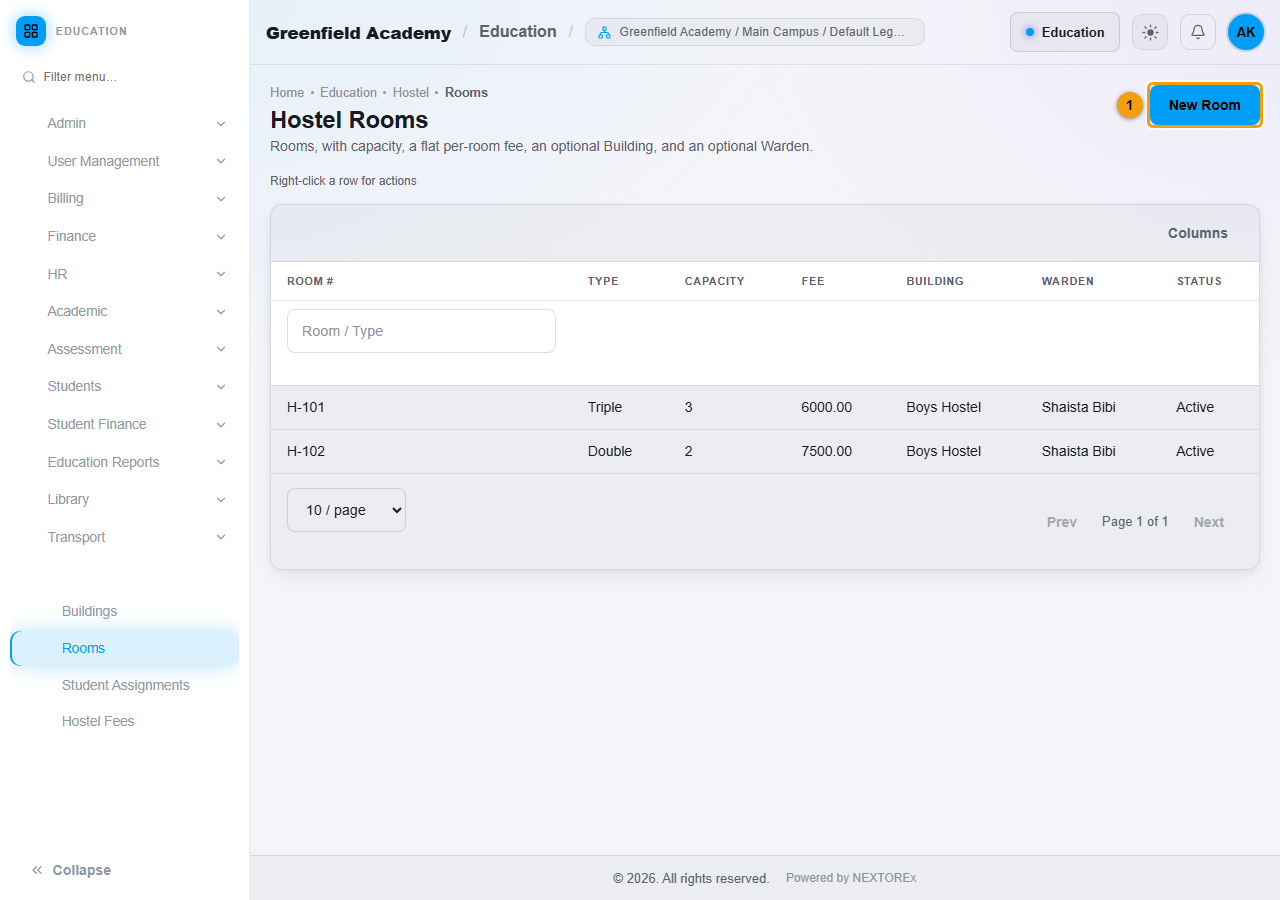
- Open Hostel, then Rooms, and click New Room (1).
- Enter the Room Number and, if you want, the Room Type, for example Double.
- Enter the Capacity. This is the number of students the room can hold.
- Enter the Fee Amount. This is the flat monthly fee for each student in the room.
- Choose a Building and a Warden if you want. A warden is a staff member whose employment type is Warden.
- Click Save.
Steps: assign a student to a room
- Open Hostel, then Student Assignments, on the Assign tab.
- Choose the Student. The page shows the student's current room.
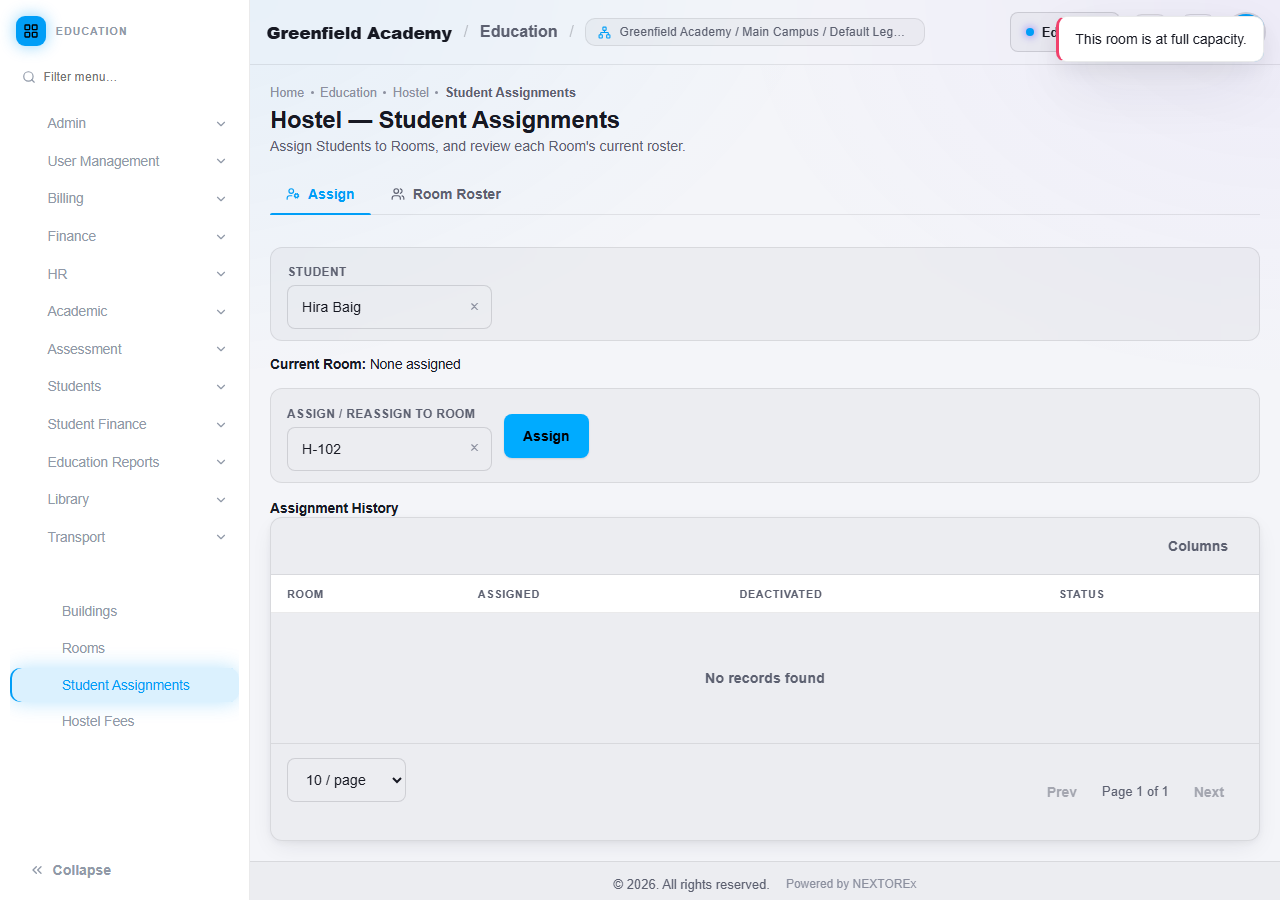
- Choose the room under Assign / Reassign to Room and click Assign.
To move a student, choose the new room and click Assign again. The earlier assignment is kept in the student's history.
A full room refuses another student
When a room is full, NEXTOREx shows This room is at full capacity. and the student is not assigned. Choose another room.
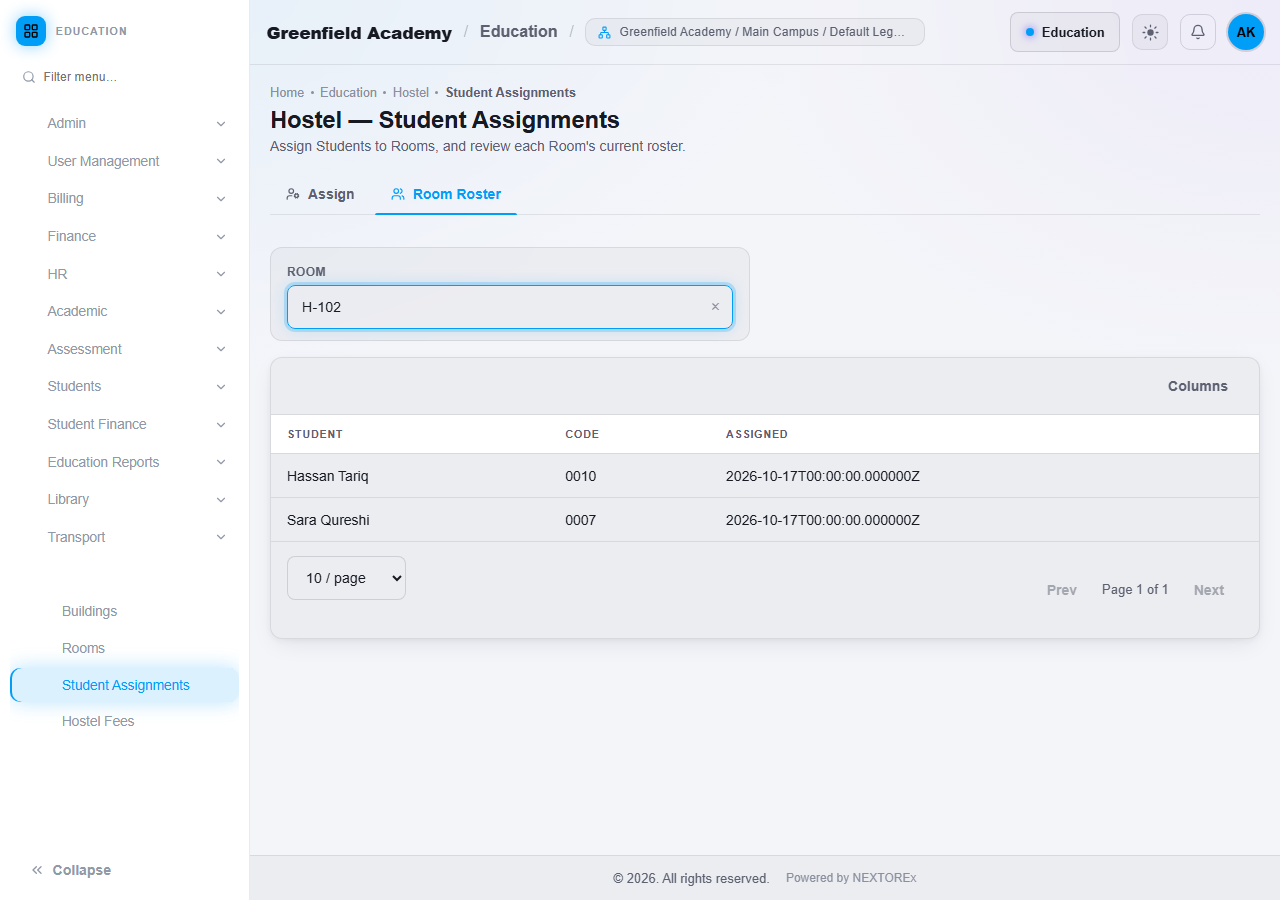
Open the Room Roster tab and choose a room to see who is in it.
Steps: generate the monthly hostel fees
- Open Hostel, then Hostel Fees.
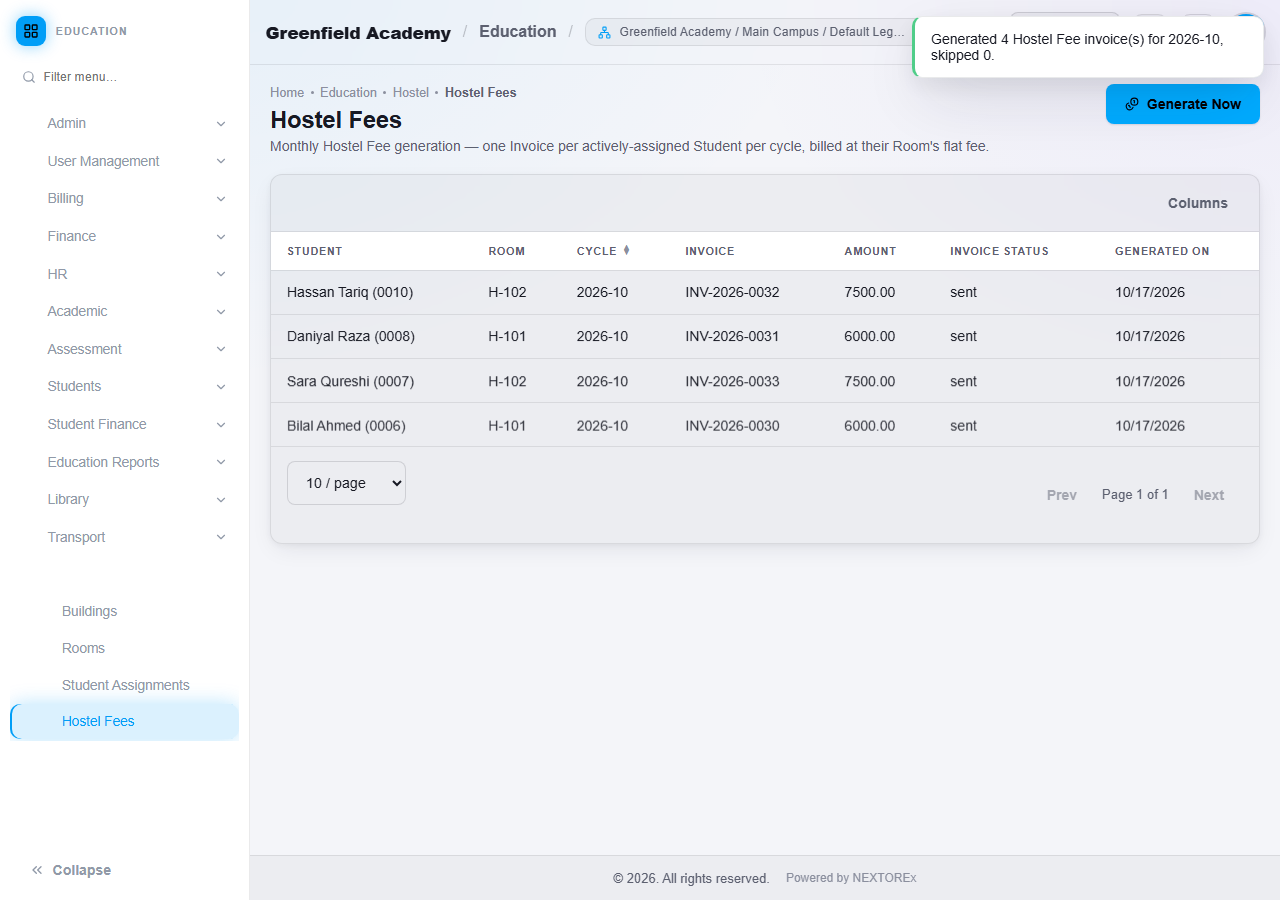
- Click Generate Now.
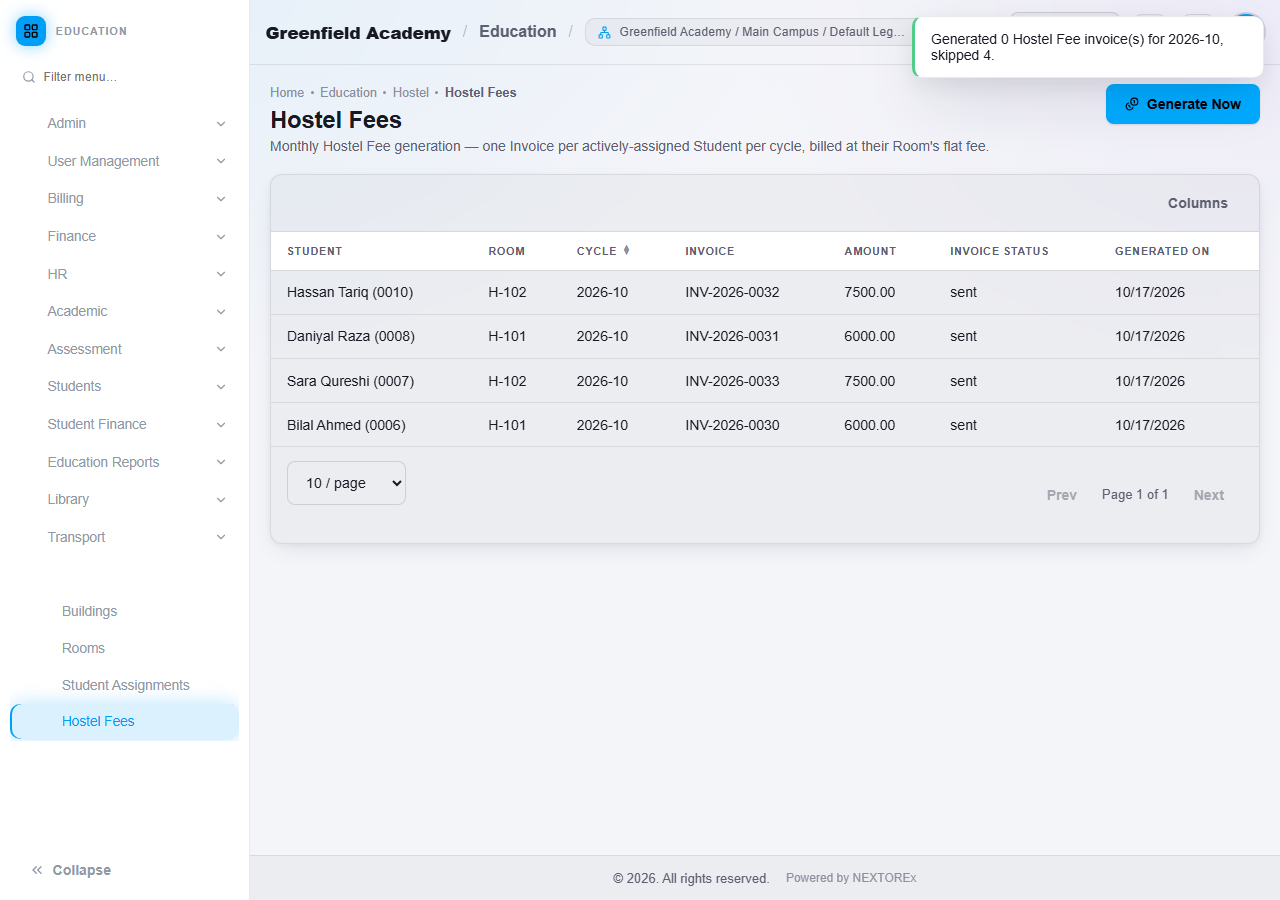
NEXTOREx creates one invoice for every student who is currently in a room, for the current month, at that room's flat fee. A message tells you how many invoices were created. The table lists the student, room, month, invoice, amount, invoice status and the date.
Duplicates are prevented
A student is billed once per month. If you click Generate Now again, the message reports that nothing new was created and how many students were skipped.
What happens next
The hostel invoice appears in the student's Fee History. Record the payment with a receipt. See Student payments and fee statement.
Important rules
- A room never holds more students than its capacity.
- A student is in one room at a time.
- The room's fee is flat and charged monthly to each student in it.
- A student is never billed twice for the same month.
Common mistakes
- Assigning a student to a room after the month was generated and expecting an invoice at once. Click Generate Now again. Only the new student receives an invoice.
- Forgetting to assign the student to a room before generating the fees.
- Setting the capacity too low. Edit the room to change it.