Billing & Plans
Your plan, usage and billing period
All plans · 2 min read · Updated 17 October 2026
What this does
The My Plan page shows the plan your business is on, how you are billed, when the current period ends, and how much of your plan limits you have used.
Steps
- Open Billing, then Subscriptions, then Subscription & Plans.
- Click the My Plan tab, then Active.
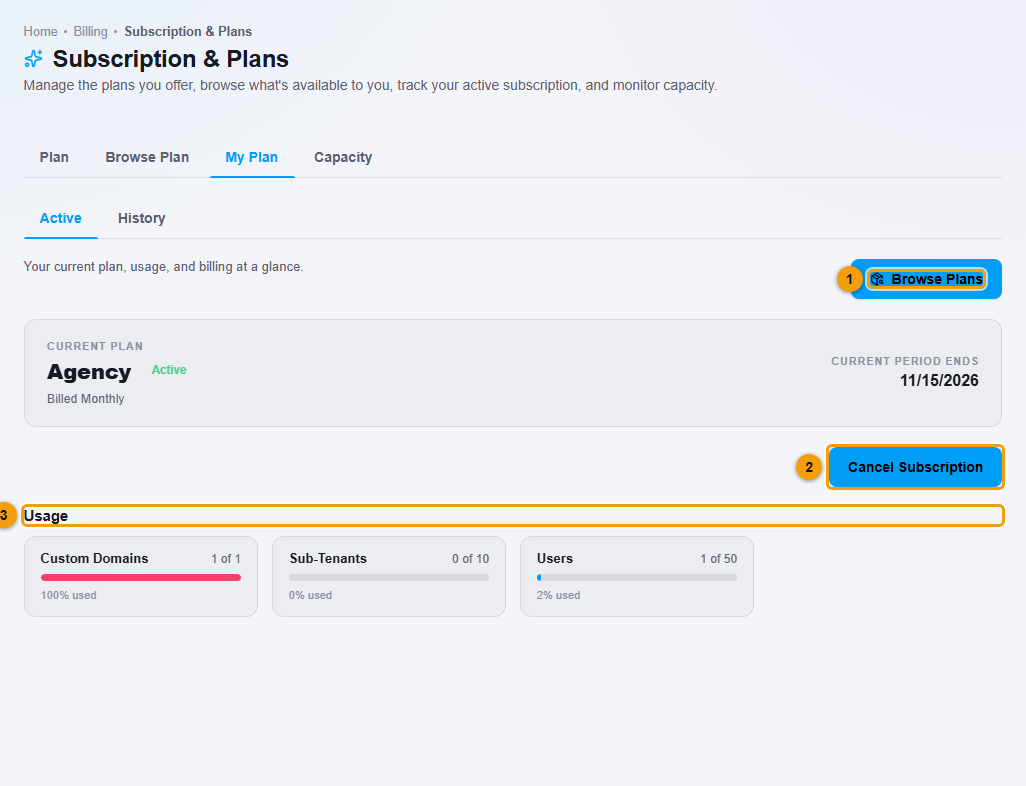
- Read the card Current plan. It shows the plan name, its status (for example Active), how you are billed (Billed Monthly or Billed Yearly) and Current period ends, the date your plan renews or ends.
- Under Usage, check the limits that apply to your plan. For example, Users 1 of 50 shows how many users you have added out of how many your plan allows. Plans that include extra features also show limits such as Custom Domains and Sub-Tenants.
If your account has more than one application, Your packages lists the package you have for each one, for example My ERP / POS Package and My Education Package. Limits of the same kind add up across packages. Education also shows Students under Usage, for example Students 200 of 200.
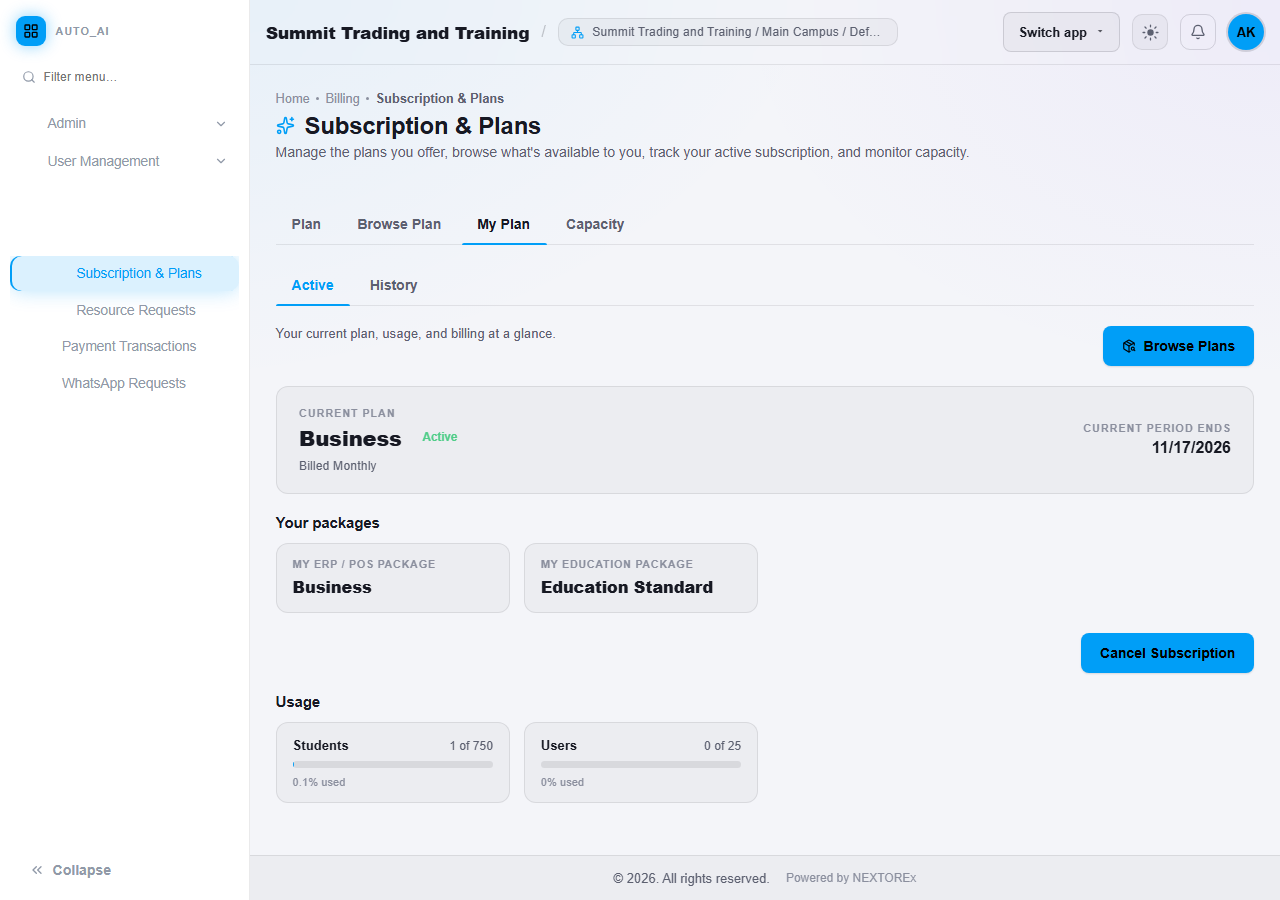
An account with the Business ERP/POS package and Education Standard. Usage shows Students and Users.
- Click the History tab to see your plan history.
What happens next
If you need a different plan, click Browse Plans (1) to see the plans available to you.
Important notes
- Plans can be billed monthly or yearly, in PKR or USD.
- Staff cannot add more users than your plan allows.
- You may not see every tab. Some tabs are only for the business that offers plans to its own clients.