Billing & Plans
Browse plans and change your plan
All plans · 3 min read · Updated 17 October 2026
What this does
Browse Plan shows the plans you can choose from. Each card shows the price per month, the price per year, and the limits of the plan, such as the number of users. All prices are in the currency of your subscription, and a note above the cards names it, for example Prices in PKR. Your own plan is marked Current Plan. You use the same page to move to a bigger plan or a smaller one.
The plans are grouped by application: ERP / POS, CRM and Education. Each application has its own packages, and a package of one application never changes the package of another. If you already have a package for an application, its section says You have a package for this app.
Before you start
You need permission to manage your subscription, which is normally the business owner or an administrator.
Steps
- In the left menu, open Billing, then Subscription & Plans.
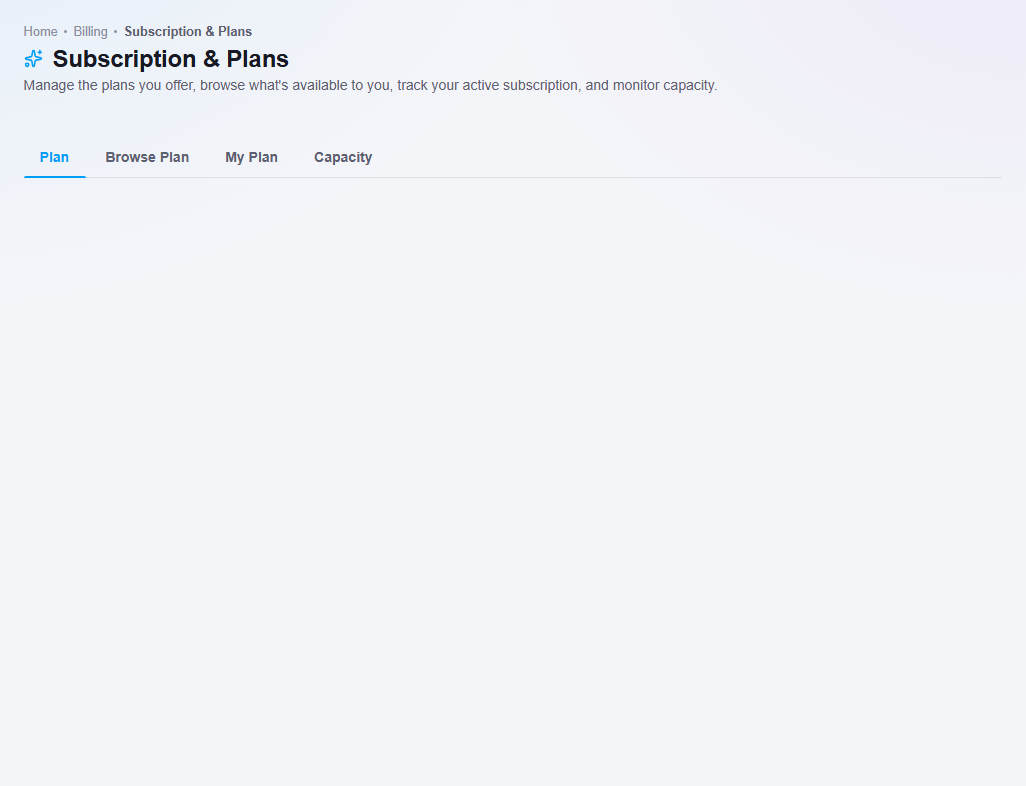
Plan, Browse Plan, My Plan and Capacity.
- Click the Browse Plan tab (1).
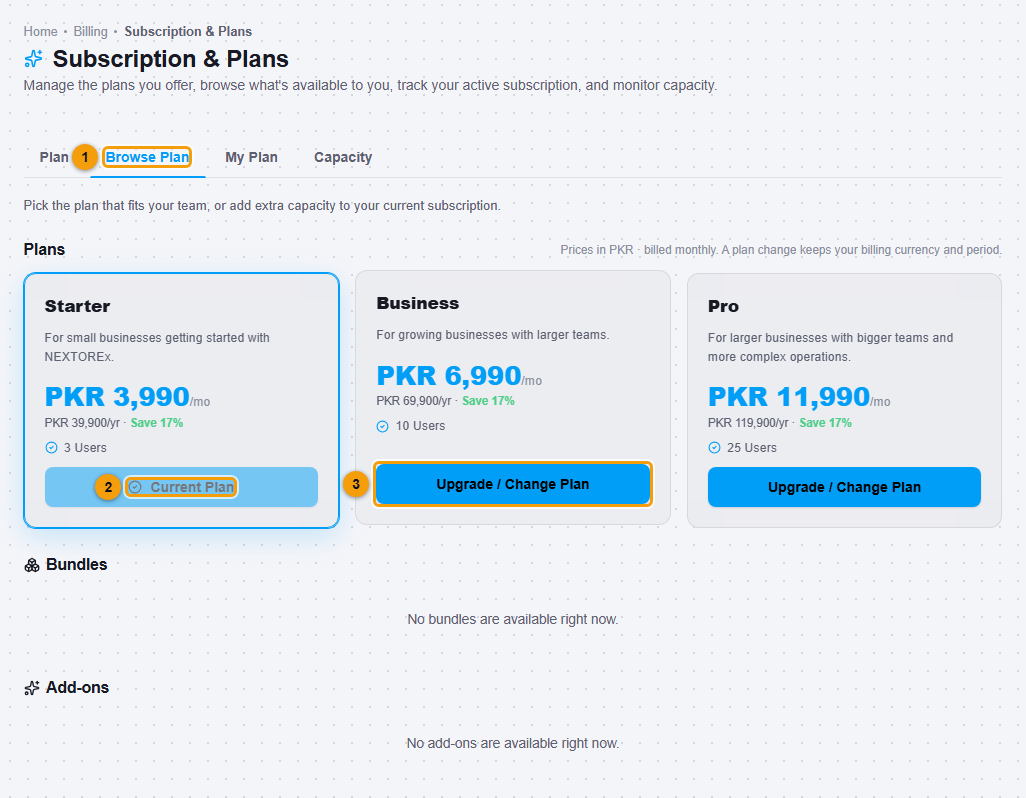
Browse Plan (1), your Current Plan (2) and Upgrade / Change Plan (3). Prices are in PKR on this account.
- Compare the cards. Each card shows the monthly price, the yearly price with the saving, and the number of users. A client business sees only Starter, Business and Pro.
- Click Upgrade / Change Plan (3) on the plan you want. The same button is used on a smaller plan. For an application you do not have yet, the button says Add this app, and the new package is added beside your existing ones.
- The Confirm plan change window opens. It shows the plan, its price for your billing period, and a line (1) that says your billing period stays the same, for example monthly. You cannot switch between monthly and yearly in this window.
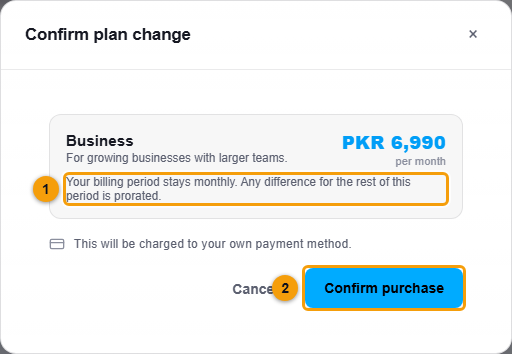
Billing period note (1) and Confirm purchase (2).
- Click Confirm purchase (2) to go ahead, or Cancel to stay on your plan.
What happens next
- A plan that costs less than your current one takes effect at once. The message Plan changed successfully appears and the card now shows Current Plan. Your limits and the features of the new plan apply immediately.
- A plan that costs more needs a payment for the rest of the current period. The window changes to Confirm payment and shows the amount, for example PKR 3,096.77. The plan does not change until the payment is made. If the window says that no online payment method is available, ask the person who manages your account to set one up.
- Your people keep their roles. What they can open follows the features of your plan, so a feature that the new plan does not include is hidden until you move to a plan that has it again.
Important notes
- Your billing currency and period are fixed when you subscribe. A plan change keeps them, so every price on this page is in that one currency.
- Yearly billing costs less over the year than twelve months of monthly billing. The card shows the saving.
- An agency can also choose a plan for a client business. See Choose a plan for a client. An agency can give a client only Starter, Business or Pro.
- To stop a plan at the end of the period instead of changing it, see Cancel or keep your subscription.
- The Education packages (Essentials, Standard and Campus) and how they combine with ERP/POS and CRM are explained in Education plans, limits and combining apps.
- Add-ons and bundles appear on this page when your account has them. Otherwise it says none are available.