CRM
Import leads from a CSV file
CRM Basic, Business, Pro and Agency · 1 min read · Updated 16 October 2026
What this does
If you already have your leads in a spreadsheet, you can import them instead of typing each one.
Before you start
- Save your spreadsheet as a CSV file. The first row must have column headings. The file can be up to 10 MB.
- Each lead needs at least one of: first name, last name, email or phone.
Steps
- Open CRM, then Leads, then All Leads.
- Click Import Leads.
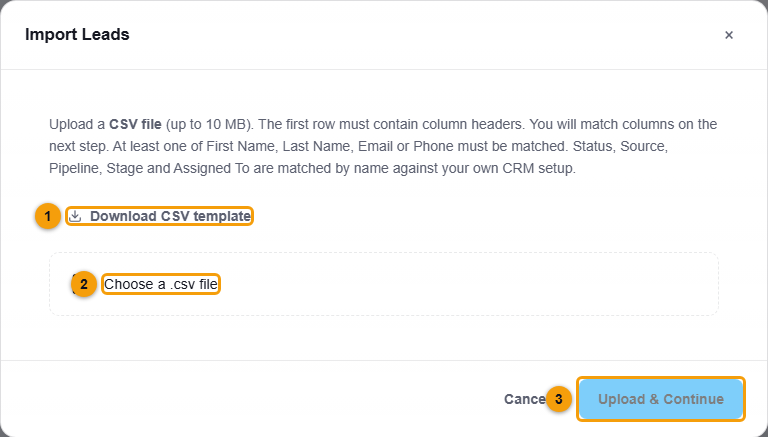
Download the template, choose your file, then continue.
- Click Download CSV template if you want a ready-made file to fill in.
- Click Choose a .csv file and pick your file.
- Click Upload & Continue.
- On the next step, match each column in your file to a lead field.
What happens next
NEXTOREx matches Status, Source, Pipeline, Stage and Assigned To by name against your own CRM setup, so the names in your file should match the names in your CRM.
Important notes
- Only CSV files are supported for import.