CRM
The deal profile and CRM dashboard
CRM Basic, Business, Pro and Agency · 2 min read · Updated 16 October 2026
What this does
The deal profile is the full page for one deal. It shows what the deal is worth, where it is in the pipeline and who owns it. You close the deal from here as won or lost. The CRM dashboard adds up all your deals in one page.
Open a deal
- Open CRM, then Deal, then All Deals.
- Double-click the deal.
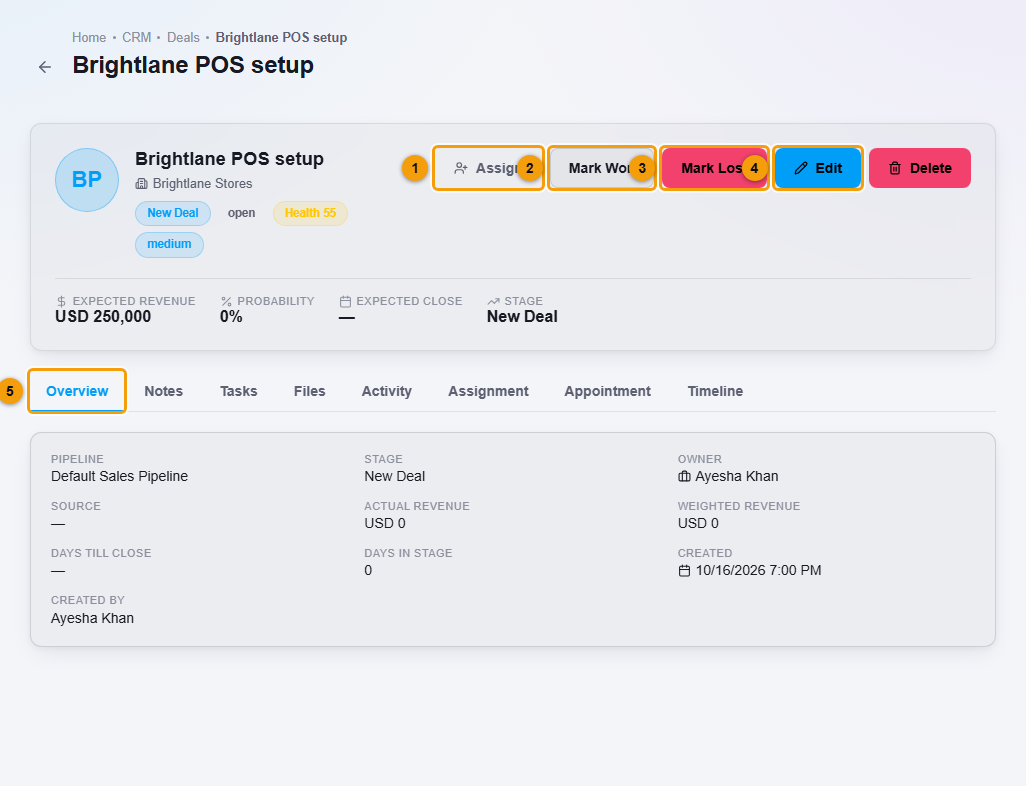
The top of the page shows the deal name, the customer's company, the stage, the status (open, won or lost), a Health score and the priority. Below that you see the Expected revenue, the Probability, the Expected close date and the Stage.
The Overview tab adds the pipeline, the owner, the source, the Actual revenue, the Weighted revenue, the days until the close date and the days the deal has been in its stage. Weighted revenue is the expected revenue multiplied by the probability.
The other tabs are Notes, Tasks, Files, Activity, Assignment, Appointment and Timeline.
Change the deal
- Edit (4) opens the deal so you can change its details.
- Assign (1) gives the deal to another teammate.
Close the deal as won
- Click Mark Won (2).
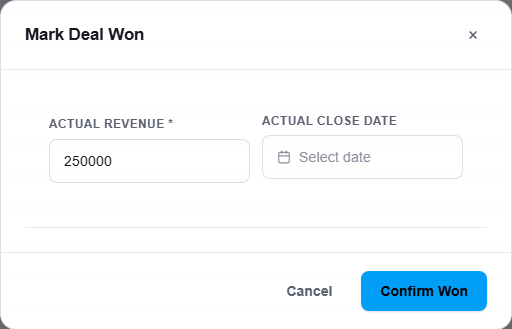
- Enter the Actual revenue you earned. Add the Actual close date if it was not today.
- Click Confirm Won.
Click Mark Lost (3) if the deal did not happen.
The CRM dashboard
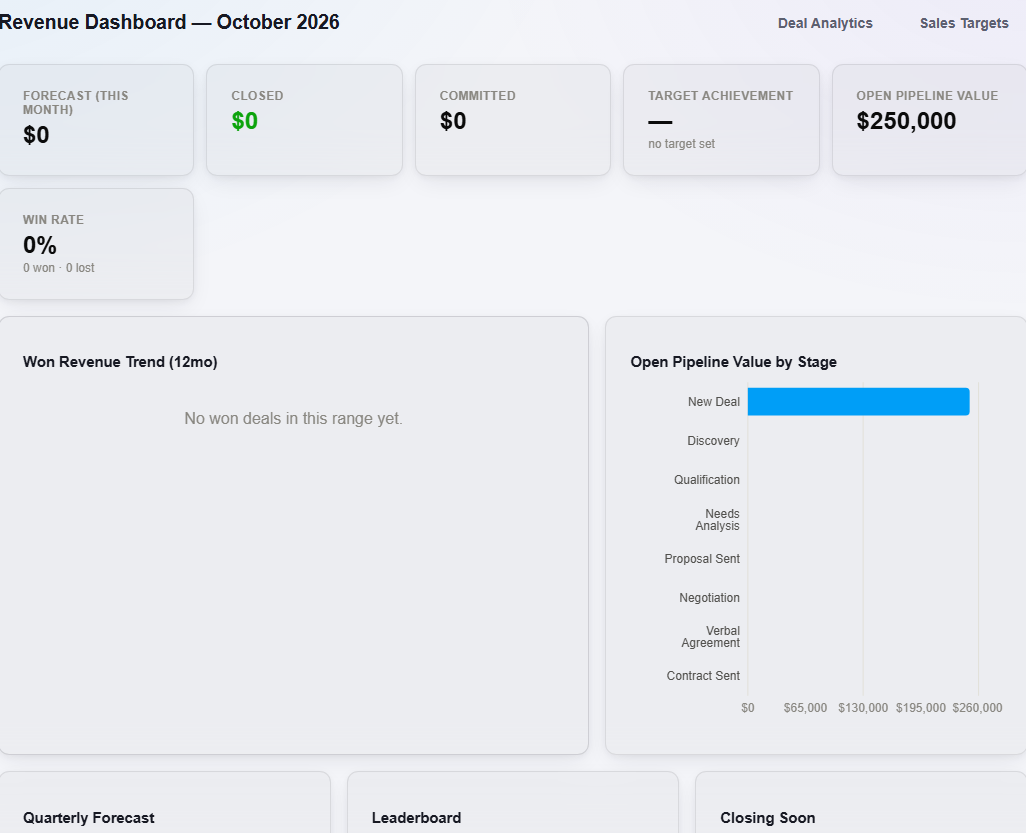
Open CRM, then CRM Dashboard to see this month's Revenue Dashboard. It shows the forecast for the month, the revenue closed and committed, how close you are to your target, the value of your open pipeline and your win rate. Charts show won revenue over the last 12 months and the open pipeline value in each stage. A leaderboard ranks your sellers, and Closing Soon lists deals close to their close date.
Important notes
- The dashboard only counts the deals you have in NEXTOREx. It shows no target set until a sales target is set for you.
- Mark a deal won only when the sale is agreed.