CRM
Deals
CRM Basic, Business, Pro and Agency · 1 min read · Updated 16 October 2026
What this does
A deal is a possible sale. It has an expected value, an owner and a stage in your sales pipeline, such as New Deal, Proposal Sent or Won.
Steps
- Open CRM, then Deal, and open the deals list.
- Click Add Deal. The Add Deal window opens.
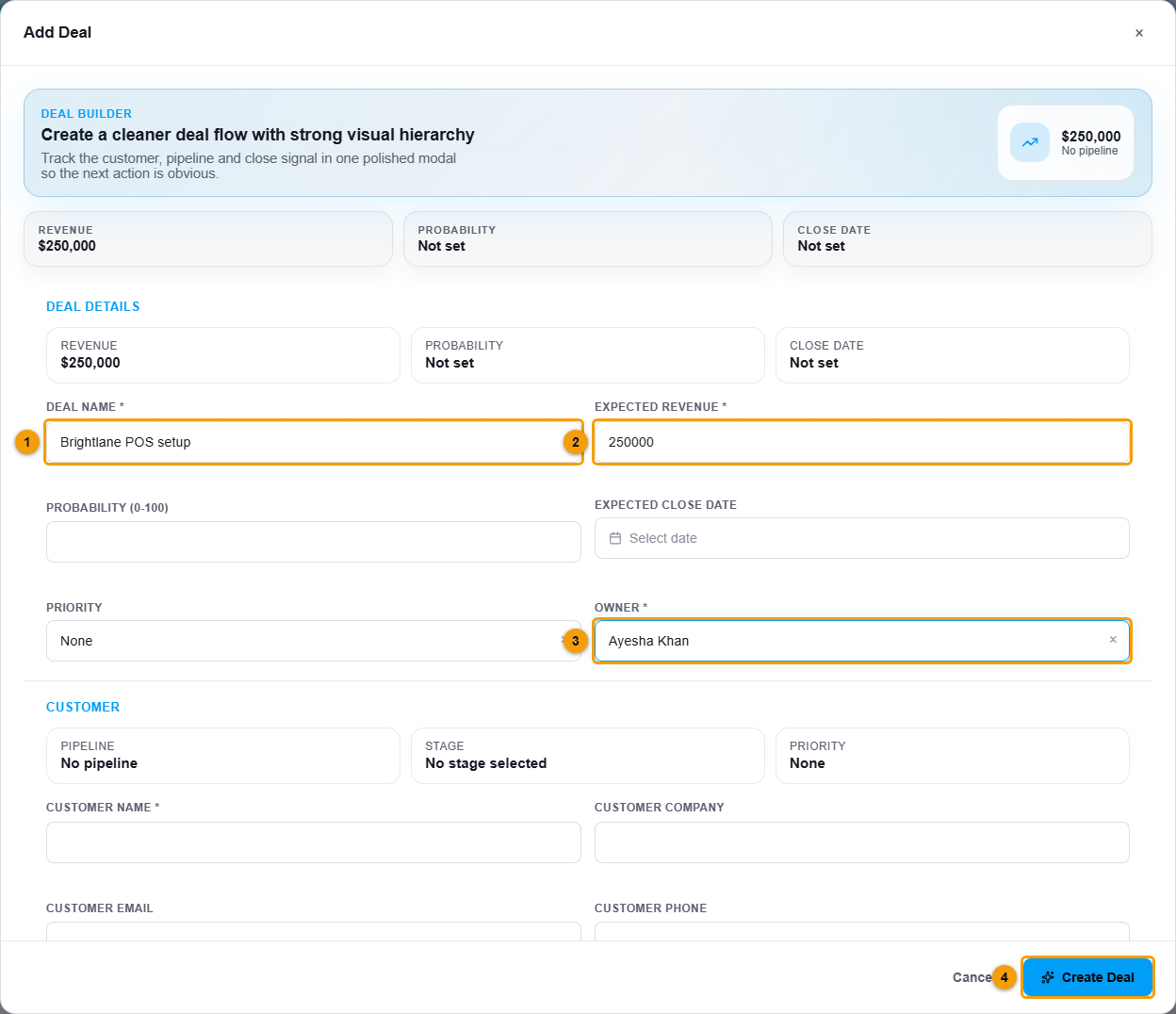
Deal name (1), expected revenue (2), owner (3) and Create Deal (4).
- Enter the Deal name (1) and the Expected revenue (2).
- Optionally enter the probability from 0 to 100, the expected close date and the priority.
- Choose the Owner (3), the teammate responsible.
- Enter the Customer name and, if you want, their company, email and phone.
- Check the Pipeline and Stage. New deals start at the first stage, New Deal.
- Click Create Deal (4).
What happens next
The deal appears in the Deals list. You can filter by pipeline, stage, priority and status (Open, Won or Lost). The Kanban button shows the deals as cards in columns, one column for each stage.
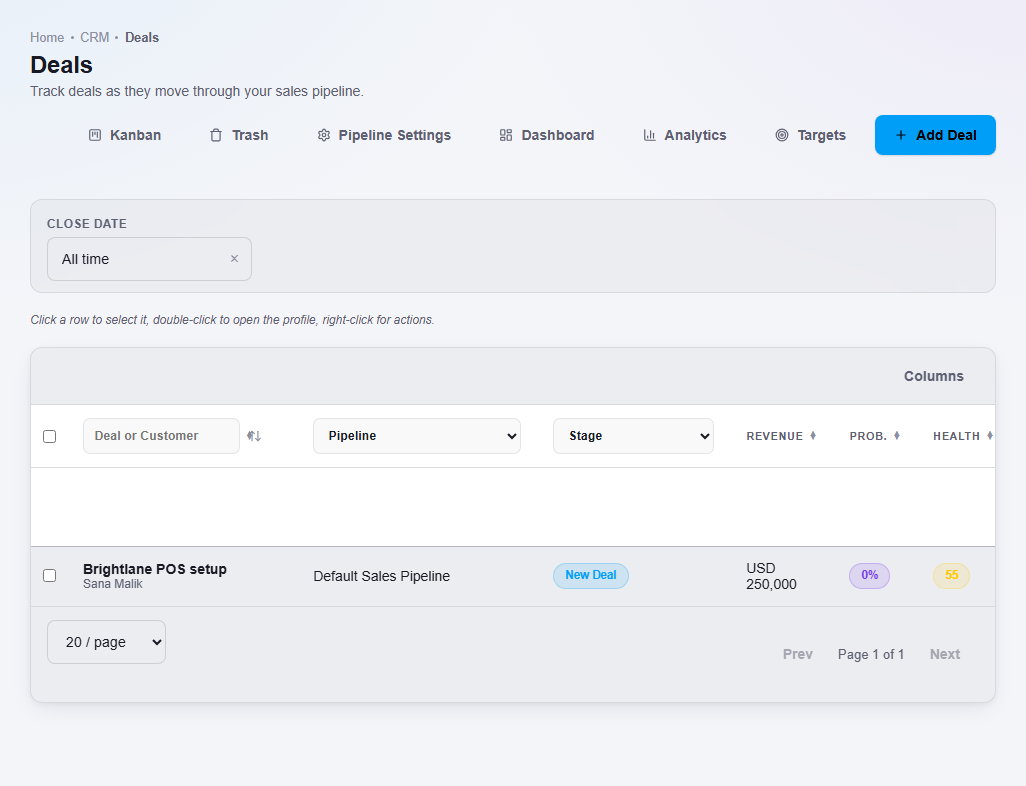
Double-click a deal to open its profile.