CRM
The lead pipeline and Kanban
CRM Basic, Business, Pro and Agency · 1 min read · Updated 16 October 2026
What this does
A pipeline is the list of stages a lead moves through. The Kanban board shows your leads as cards, grouped by stage.
Steps
To see the Kanban board:
- Open CRM, then Leads, then All Leads.
- Click Kanban at the top right.
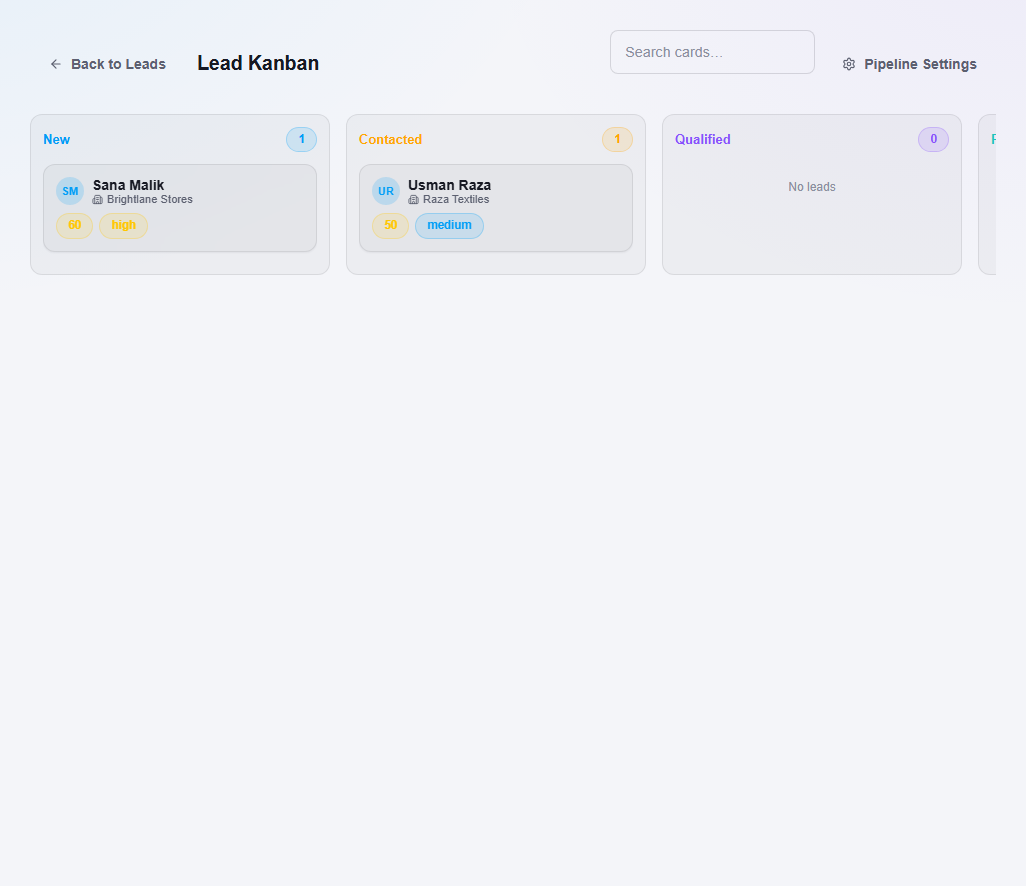
Click Back to Leads to return to the list.
To see or change the stages:
- Open CRM, then Leads, then Pipeline Setup, or click Pipeline Settings on the Leads page.
- You will see your pipelines, such as Default Lead Pipeline, with the number of stages. The buttons let you add, edit, clone or delete a pipeline.
Important notes
- A new lead only appears on the Kanban board if it has a pipeline and a stage. You can choose them when you create or edit a lead.