POS & Sales
Customers
Starter and above · 1 min read · Updated 16 October 2026
What this does
A customer record keeps a person or business's contact details and what they owe you. You pick a customer when you sell, so each sale is recorded against them.
Steps
- Open Customer, then All Customers.
- Click Add Customer. The Create Customer window opens.
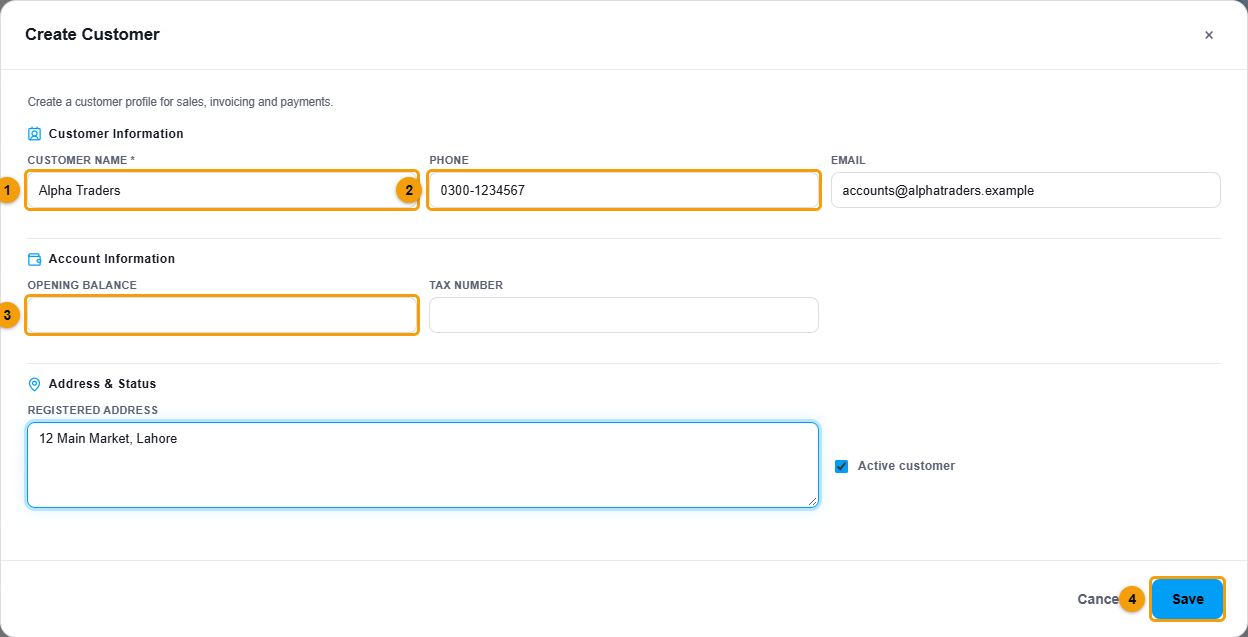
Name, phone and opening balance.
- Enter the Customer name (1). This is the only required detail.
- Add the Phone (2) and Email. You will use them to search for the customer at the POS.
- If the customer already owes you money from before you started using NEXTOREx, enter it as the Opening balance (3).
- Add the Tax number and Registered address if you need them on documents.
- Click Save (4).
What happens next
The customer appears in the list with their outstanding balance.
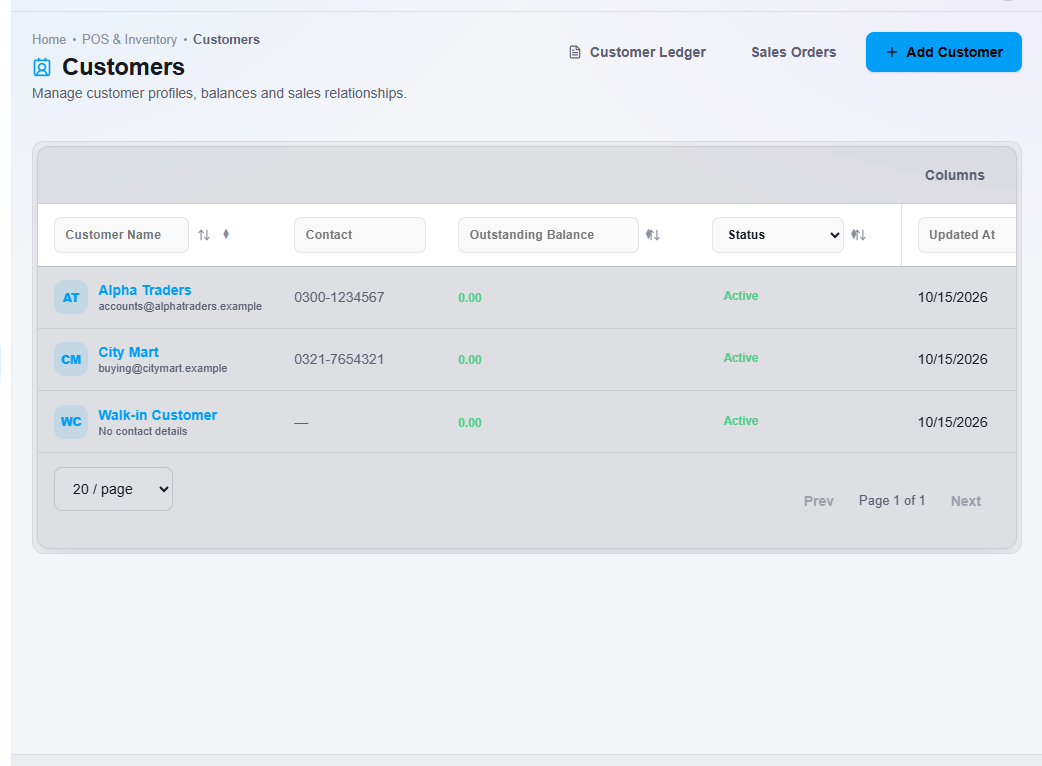
- Double-click a customer to open their profile. The Overview tab shows contact details and balance. The Transactions tab lists their transactions.
- Click Customer Ledger at the top of the list for balances and statements of all customers.
Important notes
- Walk-in Customer is a built-in customer for sales where you do not need to record who bought.