Demo & Trial
Grant a Trial to a business (platform owner)
Platform owner only · 1 min read · Updated 16 October 2026
What this does
This guide is for the NEXTOREx platform owner. It starts a Trial of a plan for a business without taking payment.
Before you start
Steps
- Open Admin, then Tenants, and open the business.
- Click the Plan tab, then Assign Plan. The Assign or upgrade tenant plan window opens.
- Tick Start as a Trial (no payment) (1). A Trial days box appears.
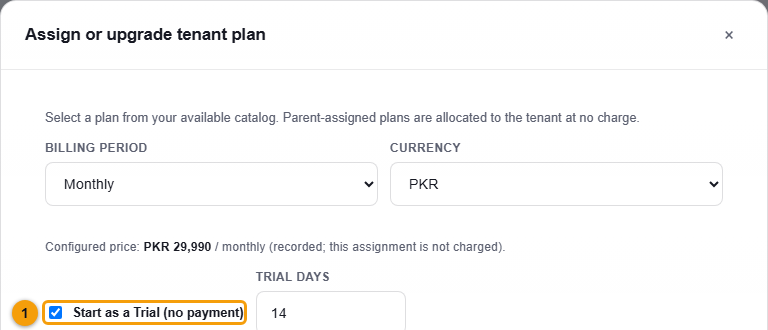
Tick Start as a Trial (no payment).
- Click Start Trial on the plan you want.
What happens next
A message confirms the trial has started. The Plan tab shows the plan with a Trial label, the period dates and Trial ends on the end date.
The business sees the Trial on its My Plan page with the days remaining and an Activate Now button. See Your Trial.
To give a plan without a Trial, leave Start as a Trial unticked and click Select Plan. The window says the assignment is recorded and is not charged.
Important notes
- Each business can have one Trial.