White Label
Layout, header, footer and background
Plans with White Label · 3 min read · Updated 16 October 2026
What this does
Besides your logo, colours and fonts, Theme Studio lets you change the shape of the app: where the sidebar sits, how cards and buttons look, the colour of the header and sidebar, the footer line, and the page background. Changes show right away in your own browser as a preview. They go live for everyone only when you click Publish.
Before you start
Open Theme Studio from your profile picture at the top right. You see it only if your plan includes White Label. The basics are in Brand NEXTOREx with your logo and colours.
Layout & Sidebar
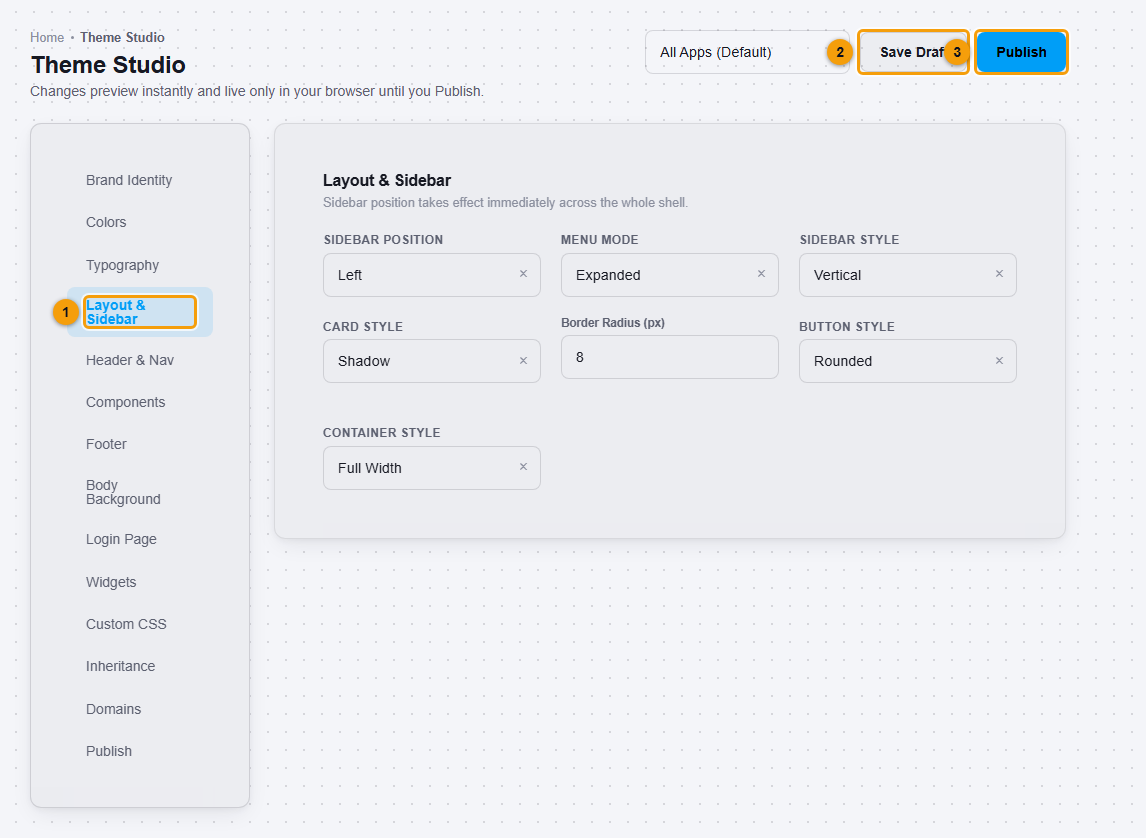
Choose the Sidebar position, Menu mode, Sidebar style, Card style, Border radius, Button style and Container style. Each is a drop-down or a number. The sidebar position changes at once across the app.
Header & Nav
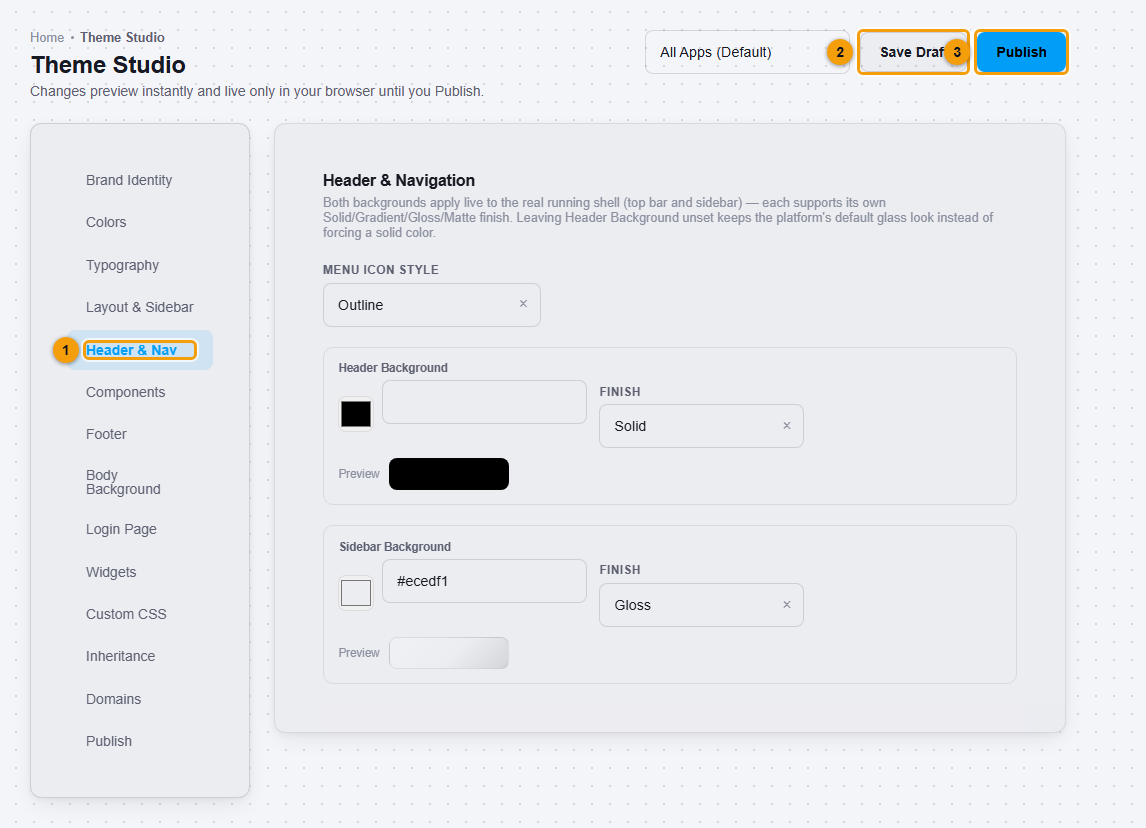
Choose the Menu icon style, and a Header background and Sidebar background. Each background has a colour and a Finish: Solid, Gradient, Gloss or Matte. If you leave the header background empty, the app keeps its default look.
Components
Components sets the background, opacity, padding and header style of Cards, and the look of Tables, such as striped rows, compact rows and borders. Use the preview in the editor to check them.
Footer
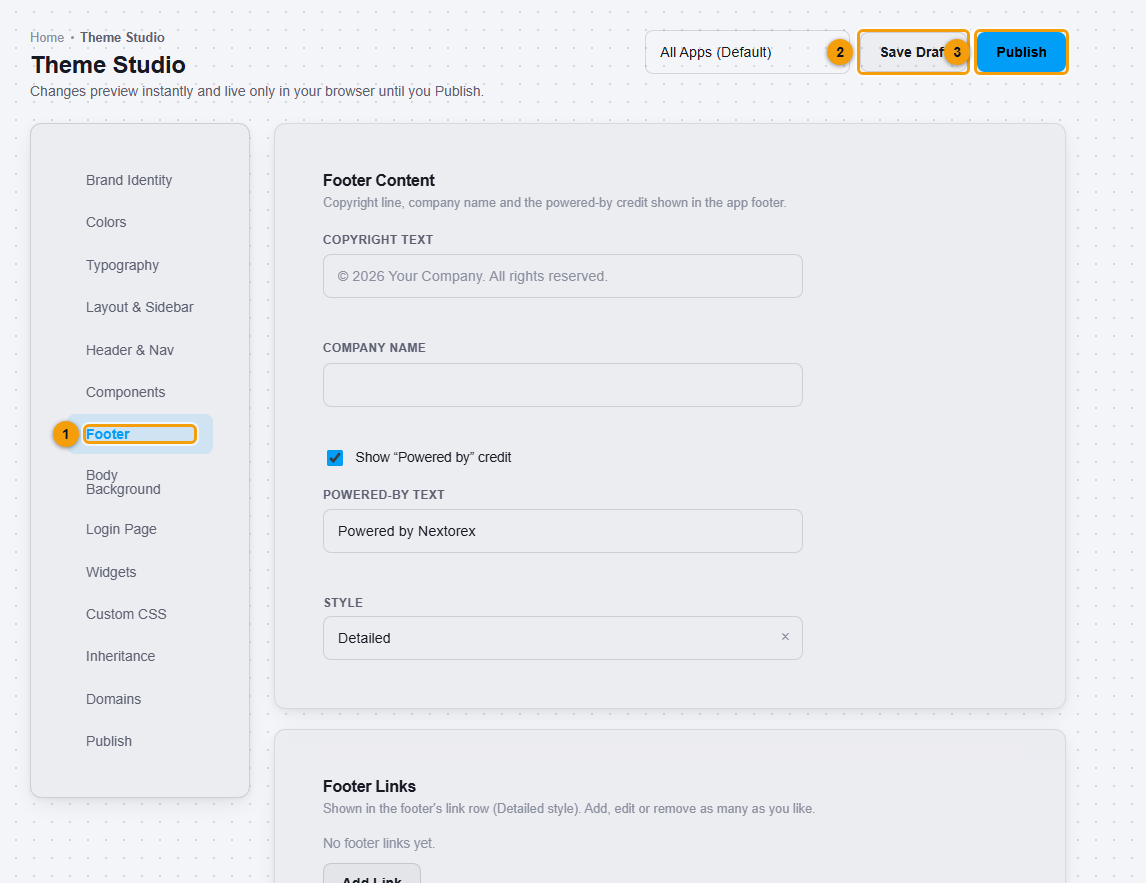
Set the Copyright text and Company name, and choose whether to Show "Powered by" credit. You can add Footer links with Add Link, and choose the footer Style and appearance.
Body Background
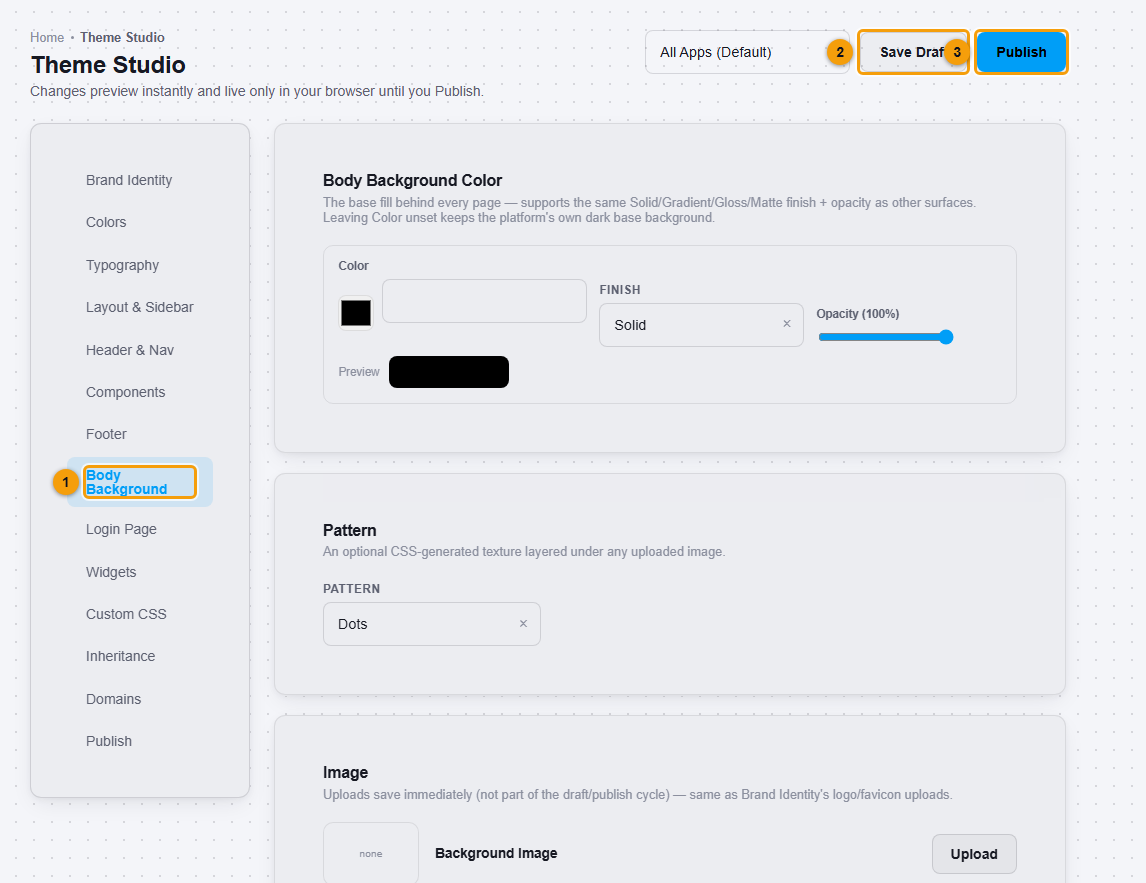
Choose the base colour behind every page, with the same finishes and an opacity. You can add a Pattern, and upload an Image. Image uploads save as soon as you upload them. They are not part of the draft and publish steps.
Custom CSS
Custom CSS is for developers. What you type is applied to every page as you type. Use it only if you know CSS. A mistake can make pages hard to read. Clear the box to go back.
Save and publish
- Click Save Draft to keep your work without making it live.
- Click Publish to make it live for your workspace.
Important notes
- Check your own changes in the places your users work. Text and background colours that look good on the sidebar may not suit tables or forms.
- Branding changes how the app looks. It does not turn every email, every sign-in page or every report into a branded document.
- The All Apps (Default) box at the top chooses which app the theme applies to.